You have 0 items in your cart

Email marketing automation is the practice of using software to send targeted, personalised emails based on predefined triggers and customer behaviour, without anyone pressing “send” manually. Think of it as having a tireless assistant who knows exactly when your customer signed up, what they clicked, and what they ignored, then sends the perfect follow-up at the right moment. Tools like ActiveCampaign and Mailazy have made this technology accessible to businesses of every size. Businesses using behavioural automation generate twice as many leads as those without it. That is not a small edge. That is the difference between growing and standing still.
How does email marketing automation work in practice?
At its core, email automation works through a three-part system: a trigger, a decision layer, and a sending mechanism. The trigger is a customer action or time-based event, such as signing up for a newsletter, abandoning a shopping basket, or reaching day 30 of a free trial. The decision layer determines what email to send, to whom, and when. The sending mechanism delivers it reliably at scale.
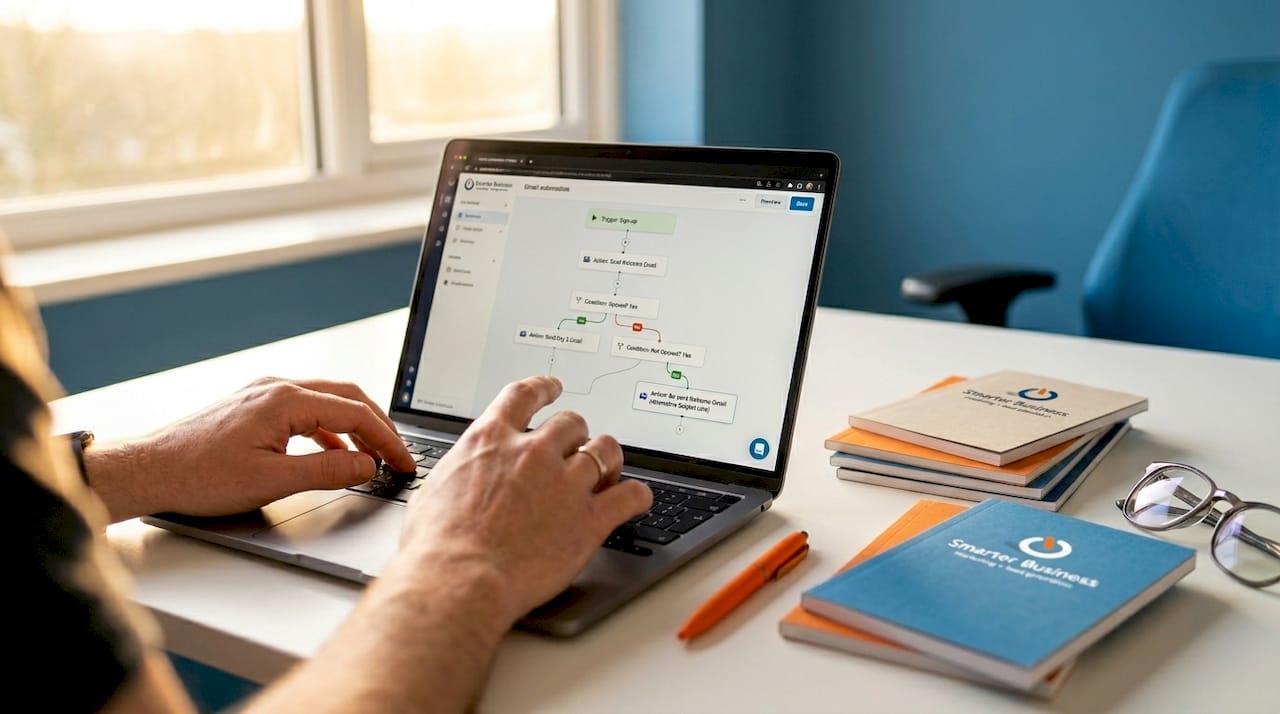
Traditional drip campaigns are the simple version of this. You write a sequence of five emails, set them to fire on days one, three, seven, fourteen, and thirty, and everyone gets the same content in the same order. It works, but it is about as personalised as a form letter. Autonomous email workflows go further by using AI agents to decide content and timing at runtime, responding to what a contact actually does rather than following a fixed script.
The three infrastructure layers that power reliable automation are:
- Trigger layer: Captures behavioural signals such as page visits, email opens, link clicks, or CRM status changes
- Agent reasoning layer: Uses rules or AI to select the appropriate response, content variant, and send time
- Transactional sending layer: Delivers the email through a reliable sending infrastructure, maintaining domain reputation and deliverability
Pro Tip: Set up your inbound triage logic before you build any outbound sequences. Routing replies effectively is as important as sending the right email in the first place. A lead who replies to your automated welcome email and hears nothing back is worse than no automation at all.
What are the key benefits of email marketing automation for small businesses?
The numbers here are genuinely striking. Behavioural email automation delivers a 280% increase in 30-day user activation and a 45% reduction in early-stage churn. For a small business where every customer counts, cutting churn by nearly half through better-timed emails is the kind of result that changes the shape of a year.
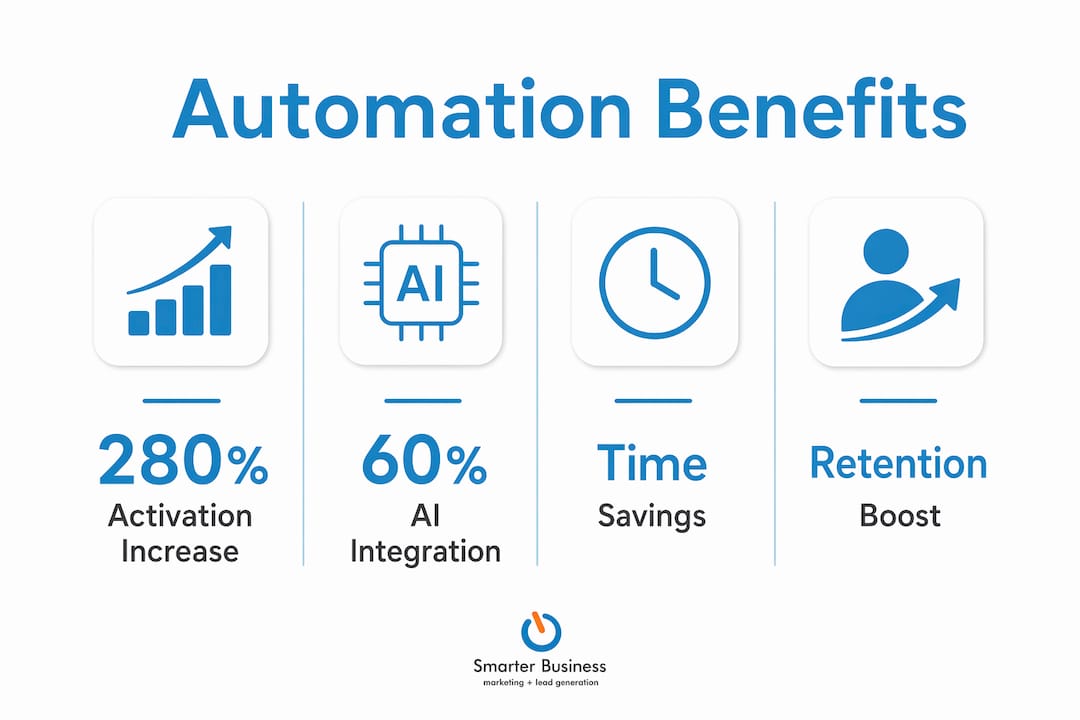
Beyond retention, the productivity gains are real. Over 60% of marketers have integrated AI to handle repetitive email tasks, reclaiming roughly 28% of their working week previously spent on manual email management. That is more than a full day per week handed back to strategy, sales, and actually talking to customers.
The quality of leads improves too, not just the quantity. AI-powered personalisation delivers a 30% improvement in lead quality compared to generic outreach. A contact who receives an email that speaks directly to their situation is far more likely to convert than one who receives a broadcast message written for nobody in particular.
The core benefits for small businesses break down as follows:
- Engagement: Timely, relevant emails based on actual behaviour outperform scheduled broadcasts every time
- Retention: Automated re-engagement and onboarding sequences reduce churn without manual follow-up
- Lead generation: Twice the leads generated compared to businesses not using automation
- Time savings: Reclaim a significant portion of your week from repetitive email tasks
- Consistency: Every new contact gets the same quality experience, regardless of how busy your team is
Which tools and platforms support effective email marketing automation?
The market for email automation tools ranges from simple autoresponders to sophisticated AI-driven platforms. Here is a practical comparison of the main options relevant to small businesses:
| Tool | Best for | Key features | Starting price (approx.) |
|---|---|---|---|
| ActiveCampaign | Growing SMEs needing CRM integration | Behavioural triggers, lead scoring, dynamic content | From €29/month |
| GetResponse | Beginners and e-commerce | Autoresponders, landing pages, basic segmentation | From €15/month |
| Mailazy | SaaS onboarding and activation | AI-powered sequences, activation tracking | Contact for pricing |
| Act! CRM | SMEs wanting CRM and email in one place | Email marketing and automation built into CRM, contact history, pipeline integration | From €30/user/month |
The most important feature to look for is not the flashiest AI capability. It is CRM integration. When your email platform and your contact database share the same data, your triggers become far more accurate. You stop sending “welcome back” emails to people who never left, and you stop missing the moment a prospect goes cold.
Automated email campaigns range from basic autoresponders all the way to advanced dynamic content and lead scoring. The right starting point depends on your current contact volume and how clearly you have mapped your customer journey. Start simpler than you think you need to, then add complexity once the basics are working.
How to plan and implement an email marketing automation strategy
Strategy first, tools second. That is the rule most small businesses break, and it is why so many automation projects produce a lot of activity and very little result.
- Map your customer journey. Identify the key moments where a timely email would make a difference: sign-up, first purchase, inactivity at 14 days, renewal reminder at 60 days. These are your trigger points.
- Design your workflows before you build them. Sketch out who receives what, under which conditions, and what happens next. A whiteboard or a simple flowchart works fine. Do not open your email tool until this is done.
- Build your infrastructure carefully. Set rate limiting intervals of 45 to 90 seconds between messages in bulk sequences, and apply daily send caps before running large batches. Ignoring this is how you get your domain flagged as spam.
- Monitor and iterate. Open rates, click rates, and unsubscribe rates tell you where your sequences are working and where they are losing people. Review them monthly, not quarterly.
- Prioritise automation and workflow skills. Teams that prioritise marketing automation and workflow development outperform those focused solely on AI tool usage. The tool is not the strategy.
Pro Tip: Do not automate a broken process. If your manual follow-up emails are getting ignored, automating them at scale will just produce more ignored emails, faster. Fix the message before you automate the delivery.
Drip campaigns vs. event-driven automation vs. autonomous workflows
Understanding the difference between these three approaches helps you choose the right tool and set realistic expectations.
| Approach | How it works | Best use case |
|---|---|---|
| Drip campaign | Fixed sequence, time-based, same for all contacts | Onboarding series, newsletters, post-purchase follow-up |
| Event-driven automation | Triggered by specific contact actions or CRM changes | Abandoned basket, re-engagement, lead nurturing |
| Autonomous workflow | AI reasoning layer decides content and timing at runtime | High-volume personalisation, SaaS activation, dynamic nurturing |
Drip campaigns are the entry point. They are predictable, easy to build, and effective for straightforward sequences. Event-driven automation is where most small businesses should be operating. It responds to what contacts actually do, making every email more relevant. Autonomous workflows use AI agents rather than static rules, which means the system can adapt to individual behaviour in ways no human-written rule set could anticipate. The AI automation trends shaping 2026 suggest autonomous workflows will become the standard for businesses serious about personalisation at scale.
Key takeaways
Email marketing automation delivers measurable results only when strategy, customer journey mapping, and reliable infrastructure are in place before any tool is switched on.
| Point | Details |
|---|---|
| Define triggers first | Map the key customer moments before choosing or configuring any tool. |
| Automation doubles lead generation | Businesses using automation generate twice the leads of those relying on manual sending. |
| CRM integration is non-negotiable | Email automation without CRM data produces generic messages that miss the moment. |
| Strategy beats tool selection | Workflow development skills outperform AI tool usage alone in driving results. |
| Start simple, then scale | Begin with event-driven automation and add autonomous AI layers once the basics are proven. |
Why most businesses are automating the wrong things
I have worked with small businesses across Ireland for over a decade, and the pattern I see most often is this: a business owner discovers email automation, gets excited, and immediately builds a 12-step sequence for every contact in their database. Six months later, they wonder why their unsubscribe rate has gone through the roof.
The problem is not the automation. The problem is that they automated their assumptions about what customers want, rather than their observations of what customers actually do. The businesses I have seen get the most from their email automation are not the ones with the most sophisticated tools. They are the ones who spent time understanding their customer journey before they touched a single workflow setting.
Marketers who win with AI are strategists who integrate automation thoughtfully, not just people who are good at setting up sequences. That distinction matters enormously for small businesses with limited time and budget. You do not need a 20-step AI-driven workflow on day one. You need one well-timed email that arrives when your contact actually needs it. Build from there.
— Patrick Lennon
How Smarterbusiness can help you get automation right
Smarterbusiness has been helping Irish SMEs get practical results from CRM and email automation since 2014. We do not just hand you a software licence and wish you luck. We work with you to map your customer journey, configure your workflows to match how your business actually operates, and make sure your team can use the system without needing a manual the size of a telephone directory. Our Act! CRM training covers email marketing automation from first trigger to full workflow, and our consultancy service tailors everything to your specific processes. If you are ready to stop sending emails manually and start building a system that works while you sleep, explore our Act! CRM products or get in touch with the team at Smarterbusiness.
FAQ
What is email marketing automation in simple terms?
Email marketing automation is software that sends targeted emails to contacts automatically, based on their behaviour or a set schedule, without manual intervention. A contact signs up, and the system takes it from there.
How does email automation differ from a standard email newsletter?
A newsletter is sent manually to everyone at once. Email automation sends different messages to different people based on what they have done, such as clicking a link, making a purchase, or going inactive for 14 days.
What are the most important email automation tools for small businesses?
ActiveCampaign, GetResponse, and Act! CRM are widely used by small businesses. The best choice depends on whether you need standalone email automation or a platform that combines email with full CRM contact management.
How quickly can a small business see results from email automation?
Businesses using behavioural email automation report a 280% increase in activation rates within 30 days. Results depend on the quality of your triggers and content, not just the tool you use.
Do I need technical skills to set up email marketing automation?
No advanced technical skills are required for most modern platforms. The bigger requirement is strategic thinking: understanding your customer journey and knowing which moments deserve an automated response.