You have 0 items in your cart

A CRM onboarding plan should turn a new system into a tool your team actually opens each morning: data people trust, workflows that mirror how they already work, and users who log in without being chased. We deliver managed onboarding of exactly this kind. Before launch, check two legal boxes too: a written processor agreement with your CRM vendor, and a Data Protection Impact Assessment if your data processing carries real risk.
TL;DR:
- A successful CRM onboarding process involves careful data migration, role-specific training, and stakeholder accountability to ensure high user adoption.
- Data migration should include phased testing, validation, deduplication, and backup plans, with sign-off carried out by the designated data owner.
- Training must be tailored to each role with follow-up sessions at 7, 30, and 60 days to measure engagement and address lagging adoption.
- Integrations and permissions should be planned before go-live, with security and GDPR compliance verified through written agreements and risk assessments.
- Assigning separate owners for configuration, data, and training, and treating the CRM as an organizational change, are crucial to avoid project failure.
Table of Contents
- Your phased onboarding plan and checklist, from kickoff to go‑live
- Data migration and keeping your CRM trustworthy from day one
- Role‑based training that drives real adoption
- Integrations, configuration and the GDPR checks you cannot skip
- Your go‑live checklist and how to keep improving afterwards
- What actually breaks CRM rollouts, and how to fix it
- Where Smarter Business fits into your onboarding plan
- FAQ
- Sources
Your phased onboarding plan and checklist, from kickoff to go‑live
Think of onboarding as a relay race, not a single sprint. Each phase has an owner, a baton to hand off, and a deliverable that proves the baton actually moved. Skip a handoff and the whole thing drops somewhere around month two, usually when someone discovers half the sales team is still emailing quotes from memory.
- Kickoff: the project sponsor and CRM administrator agree on goals, nominate a data owner, and complete an intake form covering current workflows, terminology and reporting needs.
- Setup: the administrator and implementation partner map fields, build templates, and configure permissions to mirror how teams already describe their work.
- Test migration: a sample of records moves across first, so errors surface on fifty rows rather than fifty thousand.
- Training: role‑specific sessions run close to go‑live, so what people learn on Monday they are still using on Friday.
- Go‑live sign‑off: the sponsor, administrator and a sample of end users confirm data looks right and workflows behave as expected before the system goes fully live.
A realistic SME rollout runs several weeks, and the swing usually comes down to three things:
- Data quality: messy spreadsheets need more clean-up time than anyone budgets for.
- Stakeholder availability: training slips whenever managers treat it as optional.
- Scope creep: adding integrations or custom reports mid‑build pushes everything back.
Our own CRM implementation checklist walks through these deliverables in more depth if you want a working document to adapt.
Data migration and keeping your CRM trustworthy from day one
A CRM is only as good as the data sitting inside it, and nothing kills adoption faster than a salesperson spotting a client with three different spellings of their own company name. Migrate carelessly and you have built an expensive filing cabinet nobody trusts.
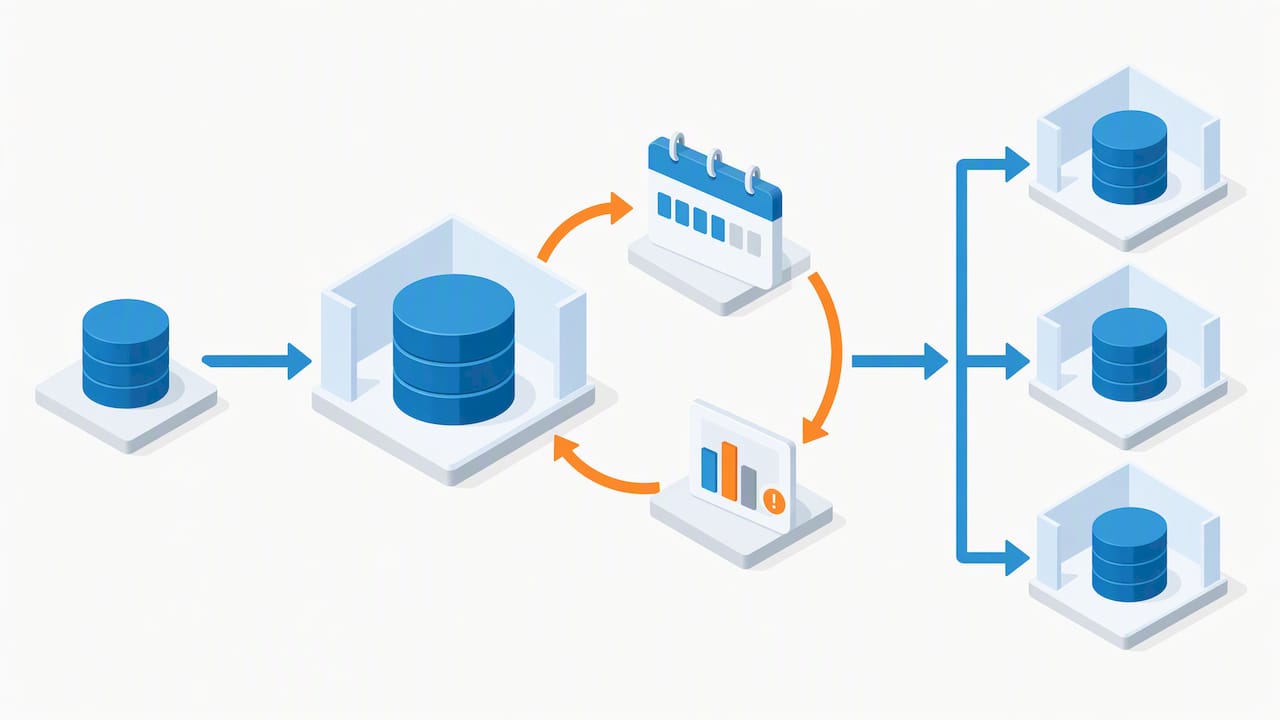
- Run a phased test migration using a small, representative sample of records before touching the full database.
- Validate field mapping against real examples, not just the template, so edge cases surface early.
- Apply deduplication rules and field‑level validation (mandatory fields, consistent formats) before the main import runs.
- Keep a backup of the original source data and a rollback plan in case the import needs repeating.
- Maintain an audit trail of who approved the migration and when, so sign‑off is traceable later.
Sign‑off sits with the data owner named at kickoff, not with whoever happened to run the import. That single accountability point is what stops “it looked fine to me” becoming the project’s epitaph. Our consultancy‑led approach to CRM data migration follows this same staged pattern for Irish SMEs moving off spreadsheets or legacy systems.
Pro Tip: Migrate a single department’s data first, let them work in it for a week, then roll out to everyone else once you’ve fixed what they find.
Role‑based training that drives real adoption
Sales, marketing, service and management each use a CRM differently, so one generic demo satisfies nobody and sticks with even fewer people. A sales rep needs the pipeline and task list down cold; a marketing user needs list segmentation and campaign tracking; a manager needs dashboards that answer “are we on target?” without a phone call.
- Initial session (go‑live week): hands‑on, role‑specific training covering the handful of actions each team performs daily.
- 7 to 14 day follow‑up: a short refresher that answers the questions people only discover once they are actually using the system.
- 30 and 60 day reviews: check adoption metrics (logins, records updated, pipeline stages used) and retrain wherever the numbers lag.
Measuring adoption is simpler than it sounds: track logins, task completion and pipeline movement rather than asking people if they “like” the new system. Our Act! CRM training services are structured around exactly these role‑based tracks, and our piece on why CRM training matters for SME growth sets out the adoption reasoning in more detail.
Integrations, configuration and the GDPR checks you cannot skip
Connecting your CRM to email, calendar and the handful of apps your team actually uses matters more for adoption than almost any feature on the spec sheet. Authenticate these connections properly (OAuth over shared passwords, wherever the provider supports it) and design permissions around roles, not individuals, so admin work does not multiply every time someone joins or leaves.
- Plan integrations for email, calendar and your core business apps before go‑live, not after.
- Build a permission model around job roles (sales, service, admin) rather than one‑off exceptions.
- Request written security evidence from any CRM or integration vendor before connecting live data.
Before anything goes live, two compliance steps matter under Irish data protection rules. Guidance from the Data Protection Commission for microenterprises recommends written agreements with data processors and periodic review of their security guarantees, which covers most SME relationships with a CRM vendor. Where your processing is likely to carry higher risk, the DPC’s guide to Data Protection Impact Assessments sets out the staged steps to assess and mitigate that risk before processing starts. For cloud‑hosted systems specifically, the DPC’s guidance on securing cloud environments is a useful checklist for reviewing a vendor’s technical and organisational measures.
Your go‑live checklist and how to keep improving afterwards
Cutover day should feel uneventful, which is the whole point. Final checks: confirm the data migration sign‑off is on file, permissions are set, integrations are live, and someone is on hand to answer questions for the first week without a support ticket queue standing in the way.
- Immediate support: staff a short, informal support window for the first 5 to 10 working days.
- 7 and 30 day check: review login frequency, record completeness and pipeline usage against the baseline set at kickoff.
- 60 day review: compare adoption across teams, and retrain wherever one group lags visibly behind another.
- 90 day iteration: fold what you have learned back into permissions, templates or training materials.
| Review point | What to check | Action if it lags |
|---|---|---|
| Day 7 | Logins and basic record entry | Short refresher for non‑users |
| Day 30 | Pipeline and task usage | Role‑specific retraining |
| Day 60 | Reporting and dashboard use | Adjust templates to match actual workflows |
| Day 90 | Overall adoption versus kickoff goals | Update onboarding plan for next rollout |
What actually breaks CRM rollouts, and how to fix it
Most failed CRM projects were never really software failures. They failed because nobody treated the rollout as organisational change, so configuration happened in a vacuum and training happened once, badly, to a bored room. The fix is almost boringly simple: name an owner for configuration, a separate owner for data, and a separate owner for training, then hold each of them to their own checklist rather than hoping one overworked administrator covers all three.
This approach is based on the premise that a CRM should bend to fit how a business already works, not the other way round. Our change management approach for SMEs sets out the same named‑owner thinking in more detail.
— Patrick Lennon
Where Smarter Business fits into your onboarding plan

If building and running that checklist yourself sounds like a second job, this can be handled end to end: CRM customisation, data migration, role‑based training and ongoing support, all tailored to how your team already operates rather than a generic template.
- CRM customisation and AI connectors built around your workflows
- Role‑based CRM training for sales, service and management teams
- Data migration, deduplication and audit‑trailed sign‑off
- Ongoing support and Act! licence guidance, from Act! Advantage plans to Select, Complete and Advanced tiers
If your team wants a hand with automation beyond the CRM itself, the AI Agents for Sales and CRM microcredential is a useful next step for anyone looking to go deeper on AI‑driven workflows. Book a CRM training session or get in touch about a full onboarding engagement and we will map out a plan around your own data and team.
FAQ
What are the 5 C’s of effective onboarding?
Definitions vary across sources, but a common version covers compliance, clarification, culture, connection and checkback, meaning the paperwork, the role expectations, the team context, the relationships and the follow‑up review. Applied to CRM onboarding, this translates into clear data rules, defined workflows, team buy‑in, named points of contact and a scheduled 30 or 60 day review.
What should a CRM onboarding plan include?
A solid plan covers a phased timeline from kickoff to go‑live, a data migration and validation step, role‑based training with reinforcement sessions, and a go‑live checklist with sign‑off from a named data owner. It should also include GDPR checks such as a written processor agreement and a DPIA where processing risk is high.
What are the 4 C’s of successful onboarding?
One common framework uses compliance, clarification, culture and connection: getting the administrative and legal basics right, making expectations clear, embedding the new system into daily habits, and building relationships around it. For CRM rollouts specifically, that means pairing technical setup with role‑based training rather than treating the launch as a one‑off event.
Which tool is used for customer onboarding?
Businesses use CRM platforms such as Act! to manage customer onboarding, tracking contacts, tasks and pipeline stages so nothing slips between first contact and a completed handover. Act! CRM is available across Advantage, Premium Cloud and Premium Desktop plans, configurable to how a given business already operates.