You have 0 items in your cart

Act! CRM connects to the tools most Irish small businesses already run: Outlook, Google Workspace, accounting packages such as Xero and QuickBooks, Slack and marketing automation. Some links are built in. Others need a connector or a webhook. Getting them to behave is where the real work sits, and that is what this guide covers.
TL;DR
- Act! has native links to Microsoft and Google email, calendars and contacts, plus connections to accounting, Slack and more.
- Accounting links (Xero, QuickBooks Online, FreshBooks) can create a customer in your books when a contact is created in Act!.
- Webhooks push data out to other apps, but they are not always instant, so plan around timing.
- Most integration headaches come from setup, not software: duplicate contacts, wrong sync direction, unclear ownership of data.
- Our prices for Act! start at 30 EUR per month, and we configure the integrations around how your team actually works.
Table of Contents
- The integrations that matter most
- Native links, connectors and webhooks: which to use
- Five questions to ask before you connect anything
- Our view: integrations are a process question first
- Getting integrations set up properly
- A sensible rollout order
- FAQ
- Sources
The integrations that matter most
Think of a CRM without integrations as a very tidy filing cabinet in a locked room. Everything is in there, but nobody is going to walk down the corridor to use it. Integrations take the cabinet to where your team already works.
Email and calendar: Outlook and Google
This is the one nearly every client asks about first. TechRadar’s 2026 review notes that Act! syncs with Microsoft Outlook and Google products, as well as social channels like LinkedIn and Facebook.
In practice, the Outlook sidebar lets you log emails against a contact, create contacts and schedule activities without leaving your inbox. Act’s own Outlook guide for the cloud edition walks through the online email integration step by step, including where to find the email and calendar tool.
For Google Workspace users, the connections page lists a Google Contacts link that adds new Act! contacts from your Google address book.
The catch is duplicates. Two people emailing the same customer can easily create two records, and soon you are playing whack-a-mole with your own database. We wrote an Outlook setup checklist for Irish teams that covers exactly this.
Accounting: Xero, QuickBooks Online and FreshBooks
Act!’s connections page describes links that add new accounting customers when Act! contacts are created, covering Xero, QuickBooks Online and FreshBooks. A separate piece on Act Advantage’s hidden features also mentions an Accounting Link between Act Cloud and Xero, QuickBooks and MYOB.
For a sales team, the win is simple: nobody retypes a customer’s details into the invoicing system. For the finance person, it means the customer name in the books matches the one in the CRM.
Team chat: Slack
Slack is on the list of productivity connections too. Typical uses are alerts when a deal moves stage or a new lead arrives, so the right person sees it without logging in.
Marketing automation
If you run email campaigns, Act! can link its desktop database to its marketing automation using the Act! Connect Link, a one-time setup. Once connected, campaign activity can be tied back to the contact record, so you can see who opened what before you pick up the phone. We also offer Act Basic Free emarketing for teams that want to start small.
Native links, connectors and webhooks: which to use
Not every integration works the same way, and choosing the wrong one is like using a Swiss Army knife to hang a picture. It works, but badly.
| Method | Best for | Watch out for |
|---|---|---|
| Native link (Outlook, Google, accounting) | Everyday email, calendar and contact work | Sync direction and duplicates |
| Connector platform | Linking Act! to apps with no direct link | Polling delays, task limits |
| Webhook / API | Custom dashboards, bespoke apps | Needs technical setup and testing |
What webhooks actually do
As Act’s webhook documentation explains, a webhook is a way for one app to give other applications information as it happens. That sounds instant. Our reading of the documentation and developer notes is that notifications can lag, with a 15-minute polling interval being the default we work to when we plan how fresh data will be in connected apps like Slack or a custom dashboard. If your process depends on a response within seconds, test it before you promise anything to a customer.
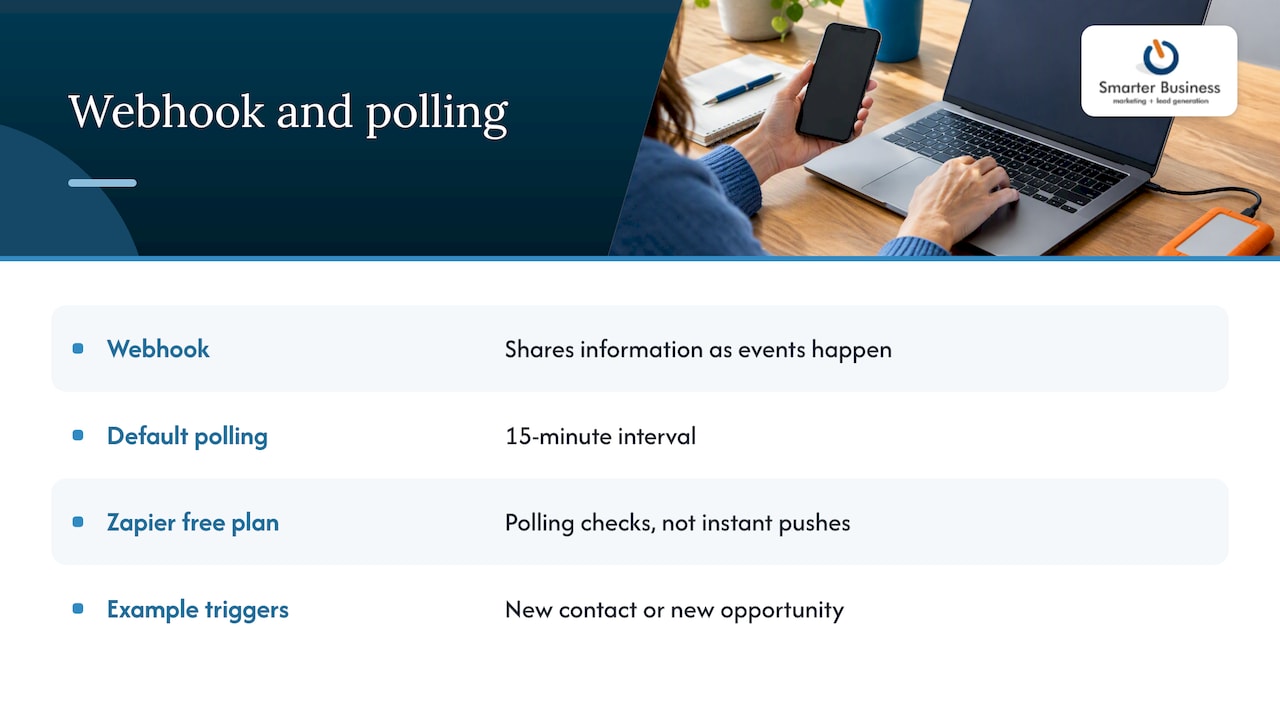
Connector platforms such as Zapier work on a similar principle. Zapier’s Act! pages show triggers like a new contact or new opportunity, with polling checks rather than instant pushes on its free plan.
Five questions to ask before you connect anything
- Which system is the master? Decide where each field is edited. Two-way sync with no rules is a recipe for overwritten data.
- Who needs to see what? Permissions should carry across. A finance contact does not need your pipeline notes.
- What happens to existing data? Clean before you connect. Syncing a messy spreadsheet just spreads the mess faster.
- How fresh must the data be? Minutes, hours or overnight? That decides the method.
- Who maintains it? An integration nobody owns breaks quietly and is found at the worst moment.
Our view: integrations are a process question first
We have been helping Irish SMEs with CRM since 2014, and the pattern is consistent. A business rarely fails because a connector was missing. It struggles because the CRM was bolted on to how the software works rather than how the business works.
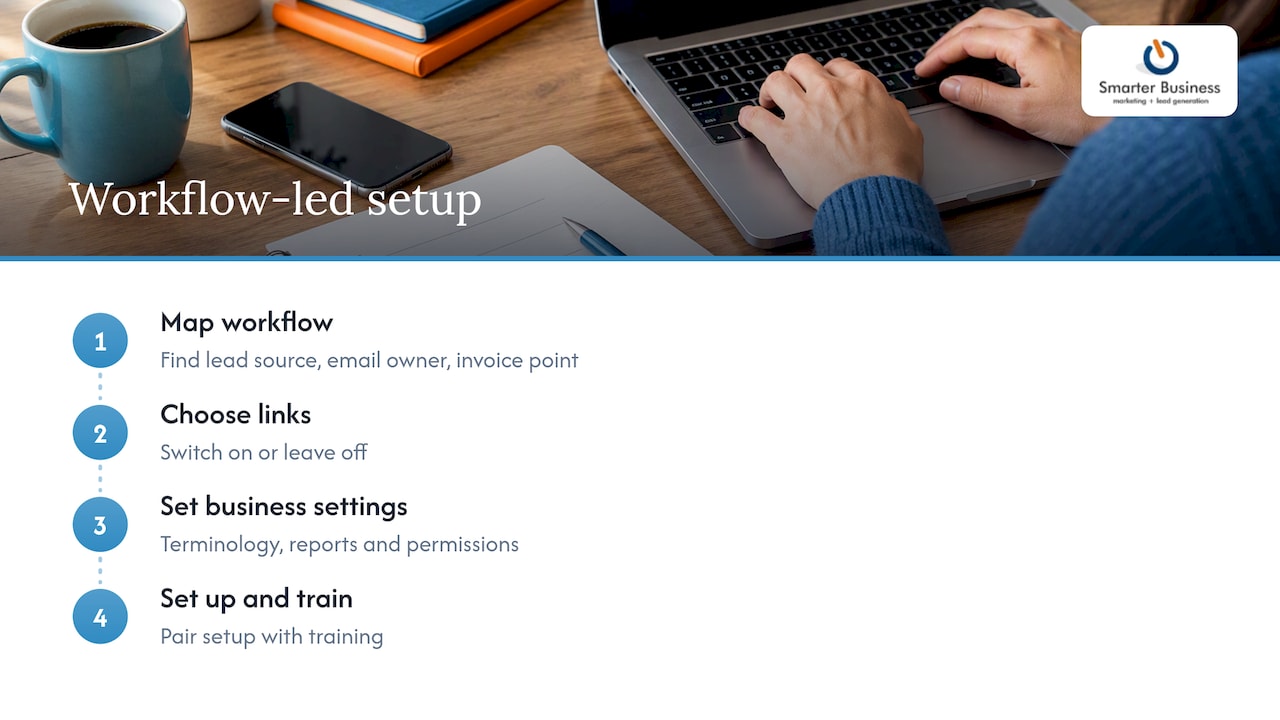
So we start with your workflow. Where does a lead first appear? Who emails it? When does it become an invoice? Only then do we decide which links to switch on, which to leave off, and what your terminology, reports and permissions should look like. TechRadar’s review points out that Act! can have a steeper learning curve than newer platforms. We agree, and it is the reason we pair setup with training rather than handing over a login and wishing you luck.
A good integration should feel boring. Nobody should notice it, except that things stop going missing.
— Patrick Lennon
Getting integrations set up properly
As a certified Act! consultancy, we handle the Outlook and Google setup, accounting links, automation, reporting and dashboards, and we train your team to use them. You can see what is available on our Act! features and add-ons pages, or ask for help through our support and advice service.
Published subscription prices, in euro:
- Act! Advantage Standard: 30 EUR per month per user
- Act! Advantage Professional: 45 EUR per month per user
- Act! Advantage Ultimate: 60 EUR per month per user
- Act Premium Cloud: 30 EUR per month
- Act Premium Cloud with Act Premium Desktop Sync: 39 EUR per month
Full details are on our Act! pricing page and the Premium cloud and desktop page. If you would rather talk it through first, get in touch with our consultants.

A sensible rollout order
Do not switch everything on in week one. This order tends to work:
- Clean and import your contacts.
- Connect email and calendar, and test with two users before the whole team.
- Add the accounting link once customer names are consistent.
- Add marketing automation and alerts.
- Build reports and dashboards on top of the data that is now flowing.
Training belongs at steps 2 and 5. Our CRM training is built around your own setup, not a generic demo.
FAQ
Does Act! CRM integrate with Outlook and Google?
Yes. Act! supports Outlook and Google products, including Gmail, Google Calendar and Google Contacts. The Outlook sidebar lets you log emails and create contacts from your inbox. Setup choices, such as which emails get logged, matter for avoiding duplicates.
Can Act! connect to Xero or QuickBooks?
Act! lists connections to Xero, QuickBooks Online and FreshBooks that create an accounting customer when a contact is created in Act!. Check which Act! edition you are on before planning, as availability can vary by product. We can confirm what applies to your subscription.
Are Act! webhooks real time?
Not always. Webhooks push data as events happen, but we plan around a default polling interval of 15 minutes for connected apps. Test the timing against your actual process before relying on it for anything urgent.
Is Act! a CRM system?
Yes. Act! is a CRM for contact management, sales pipeline and marketing activity, aimed at small and medium-sized businesses. Integrations extend it into email, accounting and communication tools.
Sources
- Act! Connect Product Integrations & APIs
- ACT! CRM review 2026, TechRadar
- How to set up the Online Email Integration with Act! Cloud
- Act! WebHooks – Notifications
- Act! Software Overview 2026, Software Advice