You have 0 items in your cart

Think contact management software is just a glorified address book? Think again. What is contact management software is one of those questions that sounds deceptively simple, yet the answer can genuinely change how your entire organisation communicates and operates. Modern contact management tools do far more than store phone numbers. They track every conversation, unify data across departments, and help you treat each customer like you actually remember who they are. This guide explains exactly what these systems do, how they differ from CRM and contact centre platforms, and why getting this right matters for your business.
Table of Contents
- Key takeaways
- Defining contact management software
- Contact management vs. CRM vs. contact centres
- Advanced features of modern platforms
- How to use contact management software effectively
- My take: contact data is strategy, not admin
- Ready to put this into practice?
- FAQ
Key takeaways
| Point | Details |
|---|---|
| More than an address book | Contact management software tracks interactions, organises data, and supports relationship building across teams. |
| Different from CRM | CRM covers sales pipelines and marketing automation; contact management focuses specifically on centralising and governing customer data. |
| Compliance is built in | Features like role-based access control help businesses meet GDPR obligations when handling personal data. |
| AI is already here | Modern platforms use AI to enrich contact records and suggest next actions for sales and marketing teams. |
| Size matters when choosing | Small businesses may suit basic tools, while growing organisations need unified platforms with cross-team visibility. |
Defining contact management software
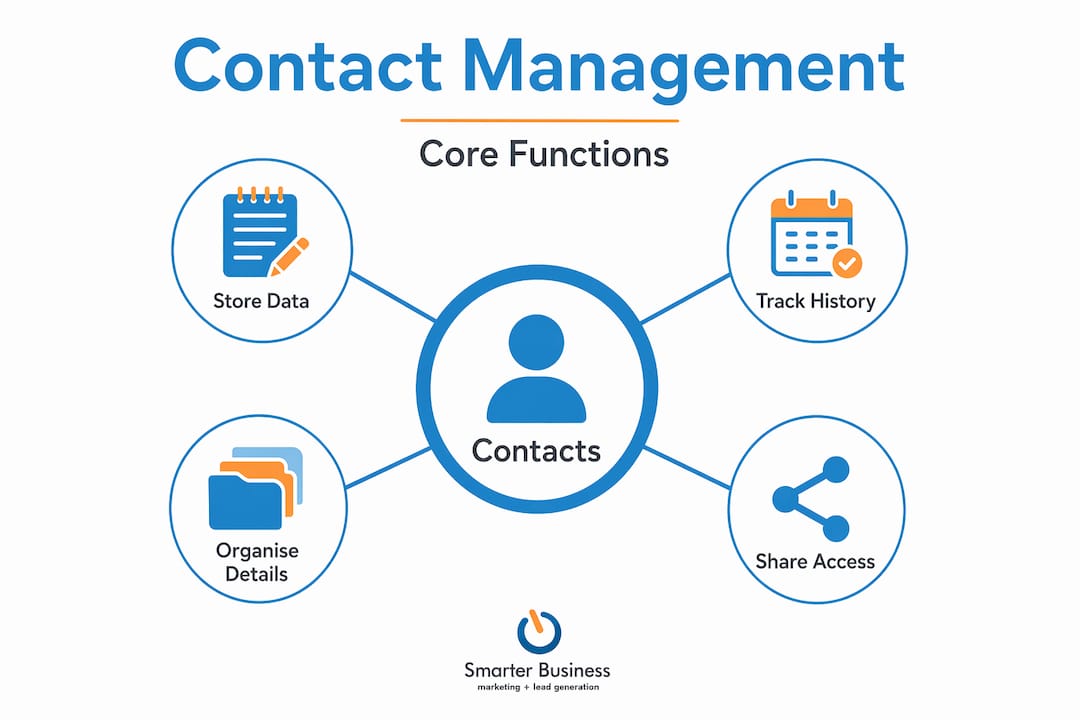
At its core, contact management software is a dedicated system for storing, organising, and retrieving detailed information about your customers, prospects, and business contacts. We are talking names, email addresses, phone numbers, company details, job titles, and the full history of every interaction you have had with that person.
Where a spreadsheet gives you rows and columns, contact management software gives you a living record. Every call logged, every email sent, every meeting noted. That history means your sales rep does not ring a customer on Monday to ask the same question your support team asked on Friday. Fewer red faces all round.
The key features of contact management software include:
- Centralised contact records with full communication histories
- Search and filter tools to find the right contact without playing needle-in-a-haystack
- Integration with email, calendar, and social media to keep interaction data accurate and up to date, so nothing slips through the cracks
- Data organisation by tags, segments, or custom fields to suit your business structure
- Reminders and follow-up prompts so important touchpoints never get missed
Centralised contact management reduces errors, missed follow-ups, and inconsistent customer experiences, leading directly to stronger retention rates. That is not a small win. That is the difference between a customer who comes back and one who quietly disappears to a competitor.
Contact management vs. CRM vs. contact centres
This is where a lot of businesses get tangled up, so let us sort it out clearly.
Contact management software focuses on what you know about a person. It is the system of record for customer data: who they are, how you have communicated, and what context exists around that relationship.
CRM (Customer Relationship Management) software is the broader ecosystem. A CRM typically includes contact management as a foundation, but adds sales pipeline tracking, marketing automation, deal forecasting, task management, and reporting. Think of contact management as the engine and CRM as the full vehicle.
Contact centre software is something else entirely. It manages real-time interactions like inbound calls, live chats, and support queues. Contact centre and contact management tools serve different purposes, but integrating them allows agents to have far more informed and personalised conversations.
| System | Primary focus | Typical users |
|---|---|---|
| Contact management software | Customer data storage and organisation | Sales, marketing, support teams |
| CRM platform | Full sales and marketing lifecycle | Sales teams, managers, leadership |
| Contact centre software | Real-time customer interaction handling | Customer service, support agents |
The honest truth? Organisational size and complexity should drive your choice. A small Irish services firm with 200 clients may get everything it needs from a solid contact management tool. A scaling enterprise managing thousands of contacts across multiple departments will likely need the full CRM experience.
Advanced features of modern platforms
Here is where things get genuinely interesting. Modern contact management software has moved well beyond the basics, and the gap between a basic tool and an enterprise-grade platform is significant.
Enterprise contact management unifies and governs customer data across departments, creating a single source of truth rather than a patchwork of inconsistent records held by different teams. That might sound abstract, but picture your sales team working from one version of a client record while your support team works from another. It is like playing whack-a-mole with your own data.
The advanced capabilities worth knowing about include:
- Identity resolution and duplicate merging: The system identifies and consolidates duplicate contact records, so you are not sending the same proposal to the same person twice from two different email addresses
- Role-based access control (RBAC): RBAC ensures GDPR compliance by limiting who can view or edit specific contact data, which is not optional under Irish and EU data protection law
- AI-powered data enrichment: AI-powered platforms enrich contact records automatically and suggest next actions, helping sales and marketing teams prioritise outreach without guesswork
- Audit trails and data residency: Full logs of who accessed or changed what, critical for regulatory compliance and internal accountability
- Cross-team visibility: Sales, marketing, and support all work from the same unified record, which reduces duplicated effort and enables consistent communication
Pro Tip: When evaluating platforms, ask specifically about identity resolution capabilities. If the system cannot merge duplicates intelligently, you will spend more time cleaning data than using it.
How to use contact management software effectively
Knowing what the software does is one thing. Knowing how to use contact management software to actually move the needle for your business is another matter entirely.
The organisations that get the most out of these tools tend to follow a clear approach:
- Centralise everything from day one. Migrate all existing contact data into the system before anything else. A half-populated database is about as useful as a chocolate teapot. Commit fully or the benefits evaporate quickly.
- Define your data fields to match your workflow. Generic fields rarely serve specific businesses well. If you sell to construction firms in Munster, you want fields that reflect that context, not a generic “industry” dropdown.
- Integrate your email and calendar. Software that integrates with email and calendar keeps interaction histories accurate without requiring manual logging. Automation is your friend here.
- Set up follow-up reminders systematically. Assign ownership of contacts and automate reminder triggers so no customer touchpoint gets dropped, regardless of how busy the team gets.
- Review and clean your data regularly. Even the best system degrades without maintenance. Schedule quarterly data reviews to catch outdated records, merge duplicates, and verify contact details.
The payoff for doing this properly is tangible. Teams collaborate better when they share accurate data. Personalisation improves because you actually know your customers’ histories. And basic CRMs lack the unification that makes cross-department collaboration genuinely work, which is worth knowing when you are choosing between a basic tool and something more capable.
Pro Tip: Assign a data steward within your organisation. This person owns the integrity of the contact database and is responsible for enforcing data entry standards. Without one, standards slip quickly.
My take: contact data is strategy, not admin
I have worked with enough businesses to know that the ones who treat their contact database as a strategic asset consistently outperform those who treat it as a filing cabinet. The difference is not the software. It is the mindset.
What I have seen repeatedly is organisations investing in good tools and then under-using them because nobody owns the data or defines what “good” looks like. The software becomes shelfware within six months. The real gains come from deciding upfront what you want to know about each customer and building your data structure around that intention.
The AI enrichment features now appearing in the best contact management software are genuinely exciting, but they are only as useful as the underlying data quality. Garbage in, garbage out, as they say. My strongest recommendation is always to get the fundamentals right before reaching for the clever features.
GDPR compliance pressures are tightening, not easing. Any business handling personal data without proper access controls is sitting on a liability, not just a missed opportunity. Treat your contact management system as a compliance tool as much as a commercial one.
— Patrick Lennon
Ready to put this into practice?
Understanding what contact management software does is the starting point. Choosing the right solution and implementing it well is where the real value gets unlocked.
At Smarterbusiness, we have been helping Irish SMEs get the most from Act! CRM since 2014. As Act! Certified Consultants, we do not just hand you a licence and wish you luck. We configure the system around your specific workflows, migrate your existing data cleanly, and provide hands-on CRM training so your team actually uses it. Whether you are starting from scratch or upgrading a system that has stopped serving you well, explore the Act! CRM products we recommend for Irish businesses, or speak to us about a tailored CRM consultancy engagement. The right system, properly implemented, pays for itself.
FAQ
What does contact management software do?
Contact management software stores detailed customer and prospect information, tracks communication history, and organises contact data so teams can collaborate effectively and never miss a follow-up.
How is contact management software different from a CRM?
Contact management software focuses specifically on storing and organising customer data, while a CRM extends this to include sales pipelines, marketing automation, and reporting across the full customer lifecycle.
Is contact management software suitable for small businesses?
Yes. Small businesses benefit from even basic contact management tools, and many platforms scale affordably as the business grows and its needs become more complex.
Does contact management software help with GDPR compliance?
It does, provided it includes role-based access controls and audit trails. These features ensure only authorised users can access or modify personal data, which is a core GDPR requirement.
How much does contact management software cost in Ireland?
Pricing varies considerably by platform and the number of users. Entry-level tools can start from around €15 to €30 per user per month, while enterprise-grade solutions with AI and compliance features typically cost more. Implementation and training costs should also factor into your budget planning.