You have 0 items in your cart

You picked a CRM, got everyone trained up, and things are ticking along nicely. Then your business doubles. Suddenly the system that felt like a superhero is groaning like a rusty gate. Understanding what does CRM scalability involve is not just a technical curiosity. It is the difference between a CRM that grows with you and one that becomes a very expensive chocolate teapot at the worst possible moment.
Table of Contents
- Key takeaways
- What CRM scalability really means
- Architecture: the hidden scalability killer
- The commercial side of scalability
- Assessing scalability before you buy
- My honest take on CRM scalability
- Build for growth with Smarterbusiness
- FAQ
Key takeaways
| Point | Details |
|---|---|
| Scalability is more than speed | A scalable CRM maintains performance, reliability, and data integrity as users, records, and workflows grow. |
| Architecture matters enormously | Platform design choices, including monolithic versus modular builds, directly determine how well your CRM handles growth. |
| Commercial costs compound | Cheap upfront pricing can lead to costly customisations later; total cost of ownership must be assessed from the start. |
| Integration quality is critical | How well your CRM connects to ERP, accounting, and BI tools is a core scalability factor, not an afterthought. |
| Test before you commit | Simulating realistic growth scenarios before purchase reveals bottlenecks that current performance figures will never show. |
What CRM scalability really means
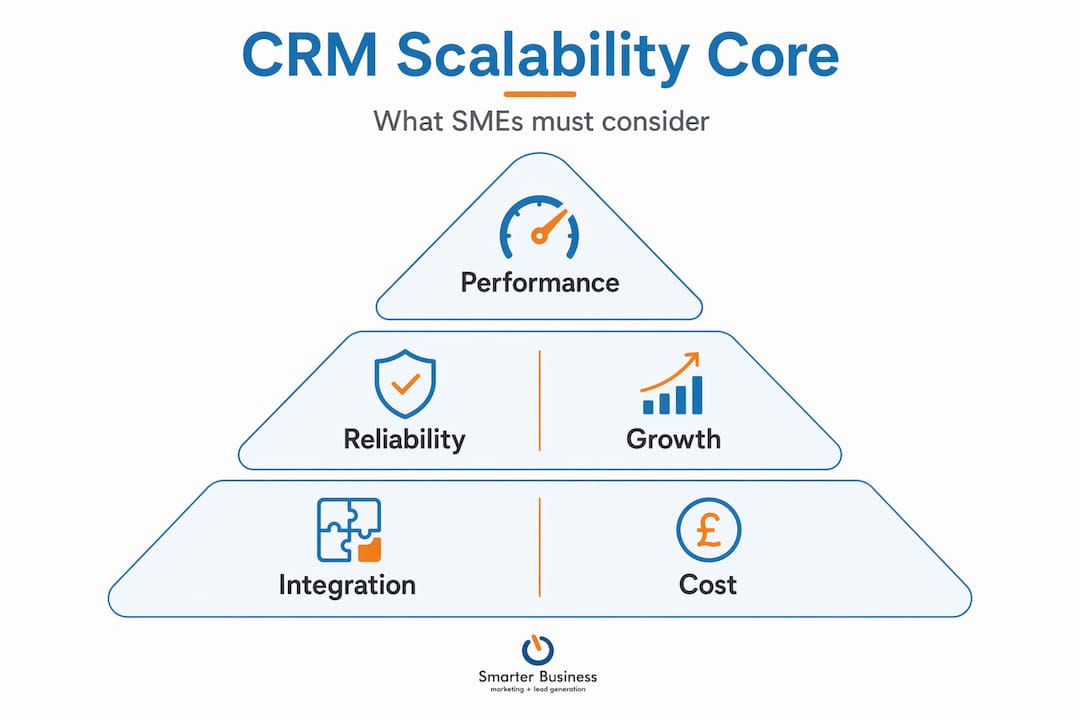
CRM scalability meaning, stripped back to plain language, is this: your system should keep performing reliably as your business gets bigger, busier, and more complex. It is not just about adding a few extra user licences. Stable performance under growth means maintaining data consistency, reliability, and speed even as transaction volumes, record counts, and integration calls multiply.
Think of it like a motorway. A single-lane road works fine for a village. Add a city’s worth of traffic and you have gridlock. CRM scalability is about building enough lanes before the rush hour arrives, not after.
There are several dimensions to consider:
- User load: Can the system handle 5 users today and 50 users next year without slowing to a crawl?
- Data volume: As your contact database grows from thousands to hundreds of thousands of records, does query performance hold up?
- Workflows and automations: More rules, triggers, and automated processes add processing overhead. Does the platform cope?
- Integration capacity: API call limits, concurrency thresholds, and throughput ceilings all affect how many connected tools your CRM can support simultaneously.
Two technical terms worth knowing: throughput refers to how many operations a system can process per unit of time, while concurrency limits cap how many simultaneous processes can run at once. Both become critical as you scale.
Pro Tip: Map your expected data and user growth for the next three years before evaluating any CRM. You will ask far better questions during demos and avoid being dazzled by features you will never use.
Architecture: the hidden scalability killer
Here is where most SME decision-makers get caught out. You buy a CRM based on a feature checklist and a price point, without ever asking how it is built under the bonnet. That is a bit like buying a van based on the colour of the seats.
Scalability failures often arise from architectural design choices rather than licence limitations. A monolithic architecture, where everything is tightly bundled together, tends to struggle when you need to scale one component independently. A modular design lets you expand specific capabilities without rebuilding the whole system.

Multi-tenant platforms, where many customers share the same underlying infrastructure, introduce another layer of complexity. Platforms like Salesforce use governor limits to prevent resource monopolisation across their shared environment. These limits cap things like the number of database queries per transaction. Exceed them and the transaction crashes outright, with no graceful fallback.
Common bottlenecks to watch for include:
| Bottleneck type | What it looks like in practice |
|---|---|
| API throttling | Integrations start failing during peak hours as call limits are hit |
| Batch job delays | Overnight data processing runs bleed into working hours |
| Latency spikes | Pages and reports load slowly as record volumes increase |
| N+1 query loops | Automations that work fine on small data cause hard failures at scale |
Monitoring key indicators such as latency percentiles, error rates, queue depth, and throughput gives you early warning before your users start complaining. And trust me, you want to find these problems before your users do.
Pro Tip: Ask your CRM vendor directly: “How does your platform handle bulk data processing?” A vague answer is a red flag. A good platform will have bulk-aware design baked in from the start.
The commercial side of scalability
Right, so you understand the technical picture. Now let us talk money, because the importance of CRM scalability has a very real commercial dimension that often gets glossed over during the sales process.
Evaluating total cost of ownership is critical and goes well beyond the monthly licence fee. A CRM that costs €30 per user per month might seem like a bargain until you factor in the cost of custom integrations, data migration, ongoing maintenance, and the consultant you will inevitably need when the system cannot do what you need it to do without significant rework.
The cheapest CRM options can become the most expensive ones over a three to five year horizon. Rigid pricing structures that charge per contact record, per email sent, or per API call can turn a modest customer base expansion into a surprisingly large bill.
Key commercial considerations for scalability include:
- Storage and record limits: Does the pricing model penalise you for growing your contact database?
- User tier flexibility: Can you add users incrementally, or are you forced into large licence bundles?
- Integration costs: Are native integrations included, or does each connection carry an additional fee?
- Customisation overhead: How much professional services time will you need as your processes evolve?
Choosing a cloud-native, integration-friendly CRM from the outset avoids the painful and expensive rearchitecting that comes from outgrowing a system that was never designed for your eventual size.
Assessing scalability before you buy
The benefits of scalable CRM are obvious in hindsight. The trick is spotting a scalability problem before you have signed a three-year contract. Here is how to approach that evaluation sensibly.
Performance testing under realistic growth scenarios is non-negotiable. Ask vendors for documented performance benchmarks at 10x your current data volume. If they cannot provide them, that tells you something.
- Integration quality: Integration with ERP, BI, and accounting tools must be treated as a core evaluation criterion. A CRM that plays nicely with your other systems today but requires expensive middleware at scale is a problem waiting to happen.
- Modularity: Can you add marketing automation, customer service tools, or reporting modules without replacing the core system?
- User scaling: Is adding users genuinely self-service, or does it require vendor involvement and lead times?
- Monitoring capability: Does the platform give you visibility into performance metrics, or are you flying blind?
Working with a CRM consultancy that understands both the technical and commercial dimensions of scalability can save you from making a decision you will regret at the worst possible moment.
Pro Tip: Before committing to any CRM, ask for a reference customer of a similar size who has been on the platform for at least three years. Their experience will tell you more than any vendor demo.
My honest take on CRM scalability
I have seen more CRM projects hit a wall than I care to count, and almost none of them failed because the software ran out of features. They failed because nobody thought seriously about scalability until the system was already buckling under the weight of growth.
The conversation in most SME buying decisions goes something like: “Does it do contact management? Can we track deals? Great, we will take it.” The questions that actually matter, about architecture, API limits, integration design, and total cost of ownership, get left on the table.
What I have learned is that scalability is not something you bolt on later. It has to be a design principle from day one. Workflows built without bulk processing in mind, point-to-point integrations that work fine for a hundred records but fall apart at ten thousand, automations that nobody tested under load. These are not edge cases. They are the norm.
My advice: treat your CRM choice like a property purchase, not a furniture order. You can change the sofa. Changing the foundations is a different matter entirely. Get a CRM consultant involved early, ask the uncomfortable questions, and build for where you are going, not just where you are today.
— Patrick
Build for growth with Smarterbusiness
If this article has you thinking about whether your current CRM can genuinely handle where your business is heading, you are asking exactly the right question. Smarterbusiness works with SMEs across Ireland as Act! Certified Consultants, helping businesses choose, configure, and scale CRM solutions that do not fall apart when growth arrives.
From reviewing Act! CRM products built with modular growth in mind, to customising your CRM so it fits your processes today and tomorrow, Smarterbusiness brings the kind of hands-on expertise that vendor sales teams simply cannot offer. Whether you need CRM training to get your team performing at full capacity or a full scalability review of your current setup, the team is ready to help you build something that actually grows with you.
FAQ
What does CRM scalability involve technically?
CRM scalability involves maintaining stable performance, data integrity, and reliability as user numbers, record volumes, workflows, and integrations grow. Key technical factors include API capacity, concurrency limits, and architectural design choices such as modular versus monolithic builds.
Why does CRM scalability matter for small businesses?
Scalability in customer relationship management matters because a system that works well at launch can become a bottleneck as your business grows. Choosing a CRM without assessing scalability often leads to expensive migrations or customisations down the line.
How do I know if my CRM will scale with my business?
Test the system under realistic growth scenarios before purchasing, and ask vendors for performance benchmarks at significantly higher data volumes. Integration quality with your existing business tools is also a strong indicator of long-term scalability.
What are the biggest hidden costs of poor CRM scalability?
The total cost of ownership often includes expensive custom integrations, consultant fees for rework, and data migration costs when a system cannot scale. These costs frequently dwarf the original licence savings that made a cheaper CRM attractive.
What is CRM capacity and why does it matter?
CRM capacity refers to the maximum load a system can handle in terms of users, records, API calls, and concurrent processes. Understanding CRM capacity helps you avoid choosing a platform that hits hard limits precisely when your business needs it most.