You have 0 items in your cart

If you’re managing fewer than 50 contacts on your own, a spreadsheet is still a perfectly sensible tool. The moment a second person needs edit access, or your pipeline grows past a single tab you can hold in your head, the maths flips in favour of a CRM — Nucleus Research has calculated returns of roughly €8.71 for every €1 spent on CRM software. That single number is the reason this comparison exists: spreadsheets are free until they aren’t, and the hidden cost shows up as missed follow ups, not a line on an invoice. If you recognise your business in that second scenario, the practical next step isn’t a six-month software project. It’s a short trial on a CRM’s free tier, or a conversation with a consultancy like Smarter Business that specialises in fitting the system to how you already work, rather than the other way round.
Key Takeaways
A CRM outperforms a spreadsheet once collaboration, automation or scale enter the picture, and the switch typically pays for itself through recovered time rather than direct cost savings.
| Point | Details |
|---|---|
| Stay on spreadsheets while small | Fine for one person managing under roughly 50 contacts with simple, static needs. |
| Watch for the break-point signs | Multiple editors, missed follow-ups, and slow reporting all signal it’s time to reassess. |
| Migrate with a parallel run | Export, import, test, then run both systems for two to four weeks before cutting over. |
| Treat security as a real gap | Spreadsheets lack audit trails; check any CRM vendor for encryption and data residency. |
| Get help fitting the system to your workflow | Smarter Business tailors Act! CRM implementations to existing processes, terminology and reporting structures for Irish SMEs. |
Table of Contents
- What is the real CRM vs spreadsheets difference?
- How do CRM features compare with spreadsheets, dimension by dimension?
- When have you outgrown the spreadsheet?
- How do you move from a spreadsheet to a CRM without losing your history?
- Which is more secure: spreadsheets or CRM systems?
- What return can a small business expect from switching?
- Ready to move beyond the spreadsheet?
- Sources
What is the real CRM vs spreadsheets difference?
A spreadsheet is a grid. Rows and columns, formulas if you’re feeling ambitious, and absolutely no idea what happened to a customer last Tuesday unless somebody typed it in the right cell. A CRM (customer relationship management system) is a database of connected records: a company links to its contacts, each contact links to deals, each deal links to a timeline of calls, emails and notes. That’s the whole ballgame, really. One is a flat table pretending to be a filing system. The other is a filing system that happens to also chase people up for you.
The data-model difference sounds academic until you feel it in practice. In a spreadsheet, if “Acme Ltd” appears in twelve rows because you’ve got twelve contacts there, updating their phone number means twelve manual edits (or, more realistically, eleven missed ones). In a CRM, Acme Ltd is one record. Update it once, and every linked contact, deal and activity inherits the change. This is what people mean by “single source of truth”, and it’s the single biggest structural reason spreadsheets buckle under scale while CRMs tend to get more useful the longer you use them.
What that structural gap means day to day:
- No repeated data entry. Update a contact once and it’s fixed everywhere it appears.
- Automatic timelines. Every call, email and meeting attaches itself to the record without you lifting a finger to log it.
- Built-in workflows. A CRM can nudge you (or your colleague) when a follow-up is overdue; a spreadsheet just sits there, silent and smug.
- Genuine multi-user access. Two people can work the same account without emailing “FINAL_v3_ACTUALFINAL.xlsx” back and forth.
How do CRM features compare with spreadsheets, dimension by dimension?
This is where the abstract becomes concrete. Below is how the two options stack up across the criteria that actually decide whether a small business sticks with what it knows or moves on.
| Dimension | Spreadsheets | CRM |
|---|---|---|
| Best for | Solo operators, under ~50 contacts, simple lists | Growing teams, multi-stage pipelines, shared accounts |
| Data model / record linking | Flat rows, no real relationships | Linked records: company, contact, deal, activity |
| Automation & workflows | None natively; manual reminders only | Follow-up triggers, task assignment, email sequences |
| Collaboration / multi-user access | Fragile: version conflicts, overwritten edits | Built for concurrent use with role-based permissions |
| Reporting & analytics | Manual pivot tables, quickly stale | Live dashboards updated as records change |
| Integrations | Usually manual export/import | Native syncing with email, billing, marketing tools |
| Security & backups | Depends on file storage discipline | Centralised backups, access logs, encryption |
| Cost / time to implement | Free, instant | Licence plus setup; days to weeks depending on scope |
| Learning curve / maintenance | Familiar but fragile long-term | Short training curve, low ongoing maintenance once set |
A couple of these rows deserve a closer look, because the differences aren’t always intuitive.
Automated follow-up is the one that converts sceptics fastest. A spreadsheet can flag a due date if you build the formula correctly and remember to check the sheet. A CRM sends the reminder, assigns the task, and can even fire off the email itself. Act! and similar platforms treat this as a baseline feature, not a premium add-on.
Activity timelines matter more than people expect until they’ve lost one. Capterra reviewers of CRM platforms like Nimble repeatedly cite the value of seeing every touchpoint with a client in one scrollable history, something a spreadsheet simply can’t replicate without a dozen extra columns nobody ever fills in consistently.
Duplicate detection is where spreadsheets fall over quietly. Two sales reps enter the same lead under slightly different spellings, and now you’ve got two records, two histories, and an awkward moment when both of them call the same prospect in the same week. CRMs flag likely duplicates on entry; spreadsheets have no concept of “likely” at all.
When have you outgrown the spreadsheet?
There’s no single trigger, but there’s a cluster of them, and if two or three apply to you right now, you’re not imagining the friction.
- More than one person edits the same file. Once you’re past a single editor, version control problems multiply fast, and “who changed this cell” becomes an unanswerable question.
- You’ve crossed roughly 50 to 100 active contacts. Sambandh’s guidance puts the practical break point somewhere in the 20 to 100 range depending on how complex your sales process is, and CRM.PH’s threshold of around 50 sits comfortably inside that band.
- Follow-ups are getting missed. If you’ve ever found a lead three weeks cold because nobody remembered to chase it, that’s not a people problem. That’s a systems problem.
- Reporting takes an afternoon. If producing a pipeline summary means opening five tabs and manually adding numbers, your reporting has already outgrown the tool producing it.
- You’re reconciling against a billing or accounting system by hand. Every manual reconciliation is a chance for the two records to quietly diverge.
- Your pipeline has multiple stages with different owners. Handoffs between marketing, sales and account management are where spreadsheets lose the plot fastest, because nobody “owns” a shared file the way they own a CRM record.
If a few of these sound familiar but you’re not ready to commit, treat it as a risk decision rather than an all-or-nothing leap. Run a free CRM tier in parallel with your existing sheet for a month, or book a short conversation with a CRM consultant to sanity-check whether your specific setup justifies the move now or in six months. Either beats guessing.
How do you move from a spreadsheet to a CRM without losing your history?
Migrating doesn’t need to be dramatic, but it does need a plan, because the single biggest failure mode is running both systems forever out of nervousness. Here’s the sequence that actually works.
- Clean the data first. Standardise your column names, remove duplicate rows, and agree on which spreadsheet is the “real” one if you’ve got several floating around.
- Map your columns to CRM fields. Decide which spreadsheet column becomes which CRM field before you import anything; guessing later means re-doing the whole job.
- Export to a canonical CSV template. One clean file, one clear structure, no merged cells or hidden tabs.
- Import into your CRM (often a free tier to start). Test the import with a small batch before you commit the full contact list.
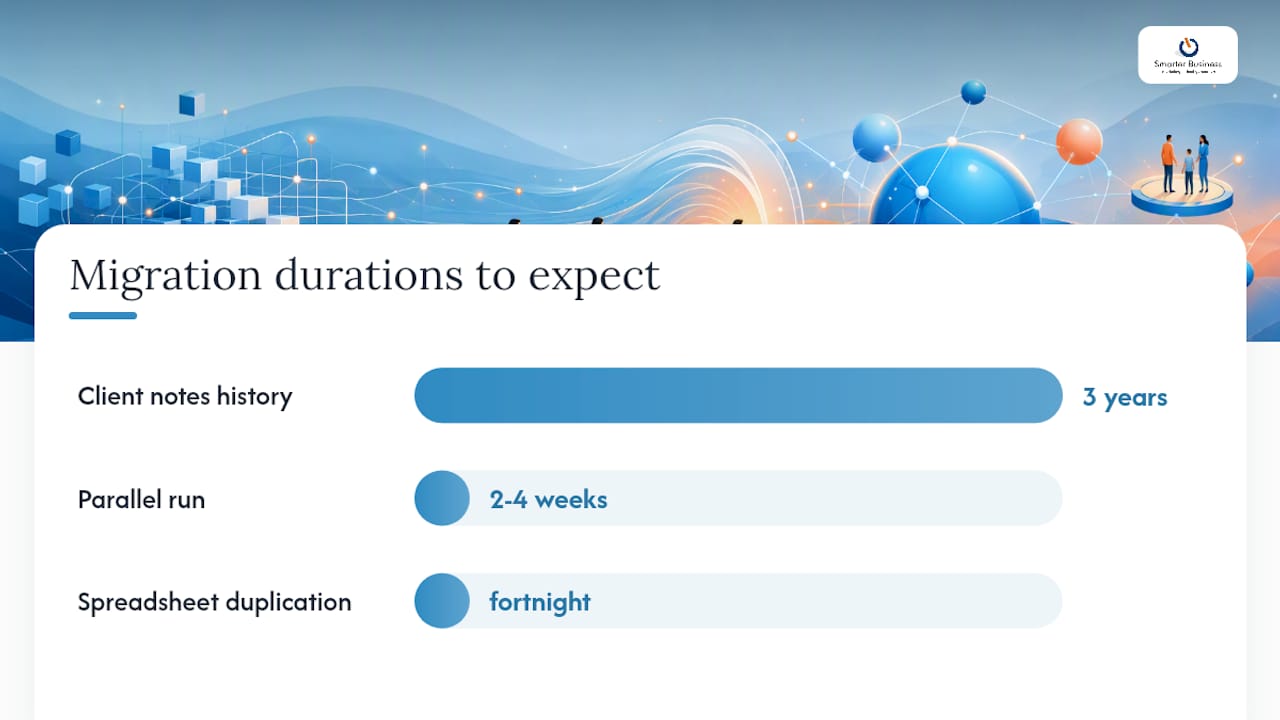
- Run a short parallel period. Keep both systems live for two to four weeks so nobody loses confidence if something looks off.
- Cut over and retire the spreadsheet. Stop updating the old file on an agreed date, not “whenever it feels right”, because that date always slips.
Pro Tip: Before you migrate, export your spreadsheet’s notes and comment columns separately and import them as timeline entries rather than static fields. That way, three years of scribbled context about a client doesn’t vanish into a single unreadable cell.
Common pitfalls worth naming: keeping the spreadsheet “just in case” (it becomes a second source of truth within a fortnight), mapping fields carelessly so half your contacts land in the wrong category, and skipping the parallel run because you’re in a hurry. None of these are fatal if you plan for them; all of them are painful if you don’t. A CRM training programme at this stage tends to pay for itself just by avoiding the field-mapping mess alone.
Which is more secure: spreadsheets or CRM systems?
This is the section people skip and then regret skipping. A spreadsheet shared via email attachment or a public link has no access log, no encryption you control, and no way to prove who changed what or when. If a laptop with a local copy goes missing, there’s often no record of what left the building. CRMs, by contrast, generally offer role-based permissions (so a junior staff member sees only their accounts, not the whole customer base), audit trails, and centralised backups that don’t depend on somebody remembering to save a copy to a shared drive.
Spreadsheet error rates run high in practice, and without an audit trail, organisations frequently can’t prove who changed a figure or when, short of manually cross-checking every version by hand.
If you’re handling personal data under GDPR, the gap widens further. A CRM makes it far easier to document data flows, apply retention rules, and respond to a subject access request because everything lives in one queryable place rather than scattered across desktops. A spreadsheet makes all three of those genuinely difficult to do properly.
Practical checks worth running, whichever side of the fence you’re on:
- On spreadsheets: audit who has active share links, check for local downloaded copies on personal laptops, and confirm nobody’s exporting client lists to personal email.
- On CRM vendors: ask about SOC 2 compliance, where data is physically hosted (data residency matters for GDPR), and what encryption applies both in transit and at rest.
- On both: document your data flows so you know, in plain terms, where customer information lives and who can see it.
This is general guidance rather than legal advice; for anything GDPR-specific to your business, it’s worth confirming current obligations with a qualified data protection adviser.
What return can a small business expect from switching?
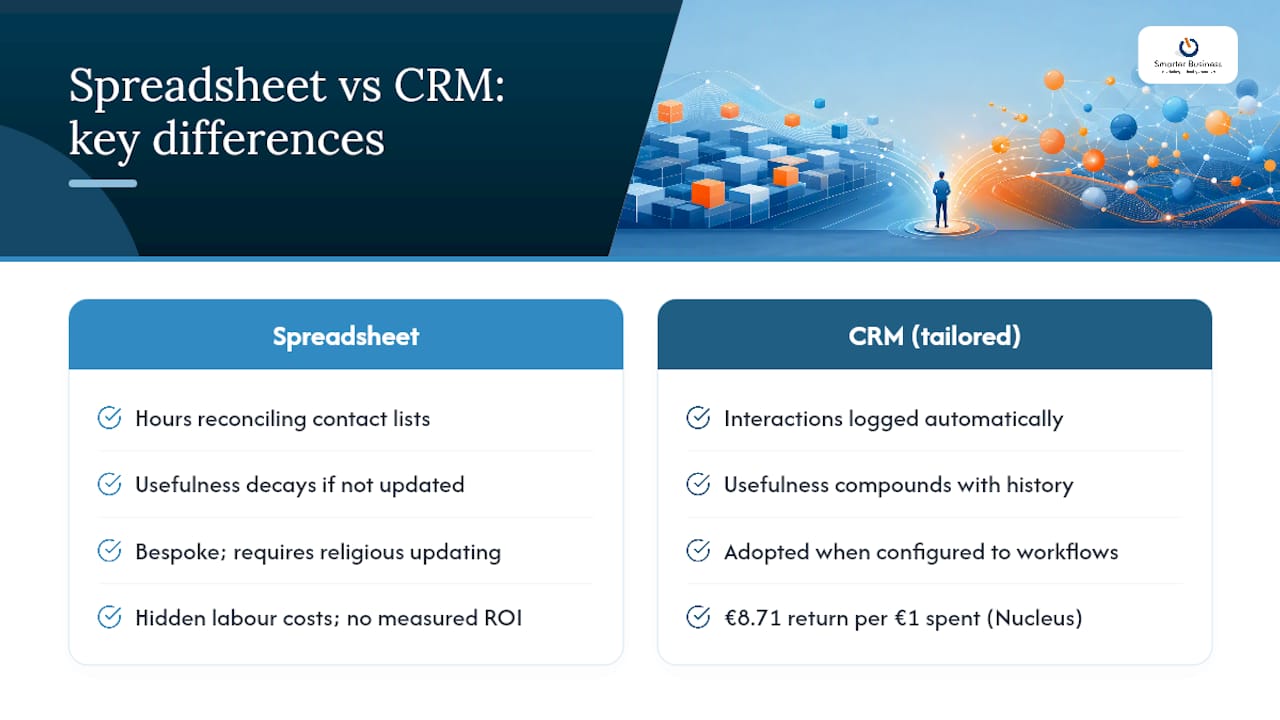
The ROI case for CRM isn’t hypothetical. That €8.71 return per €1 spent figure from Nucleus Research is widely cited precisely because it captures something small business owners feel intuitively: the labour cost of a spreadsheet is invisible until you add it up. Hours spent reconciling contact lists, chasing down which version is current, or manually building a pipeline report for a Monday meeting rarely get costed against the “free” tool producing them.
There’s also a strategic shift worth naming. A spreadsheet’s usefulness decays the moment you stop updating it religiously; a CRM’s usefulness compounds, because every interaction logged automatically builds a fuller picture of the relationship without extra admin. Used consistently, that history surfaces patterns, which contact hasn’t been touched in three months, which deal has stalled at the same stage twice, that a spreadsheet would simply never show you.
Smarter Business has spent over a decade turning that theory into practice for small and medium businesses across a range of sectors, working as a certified Act! CRM consultancy rather than a straightforward software reseller. Founder Patrick Lennon built the approach on decades in sales, marketing and operations, which is precisely why the emphasis lands on fitting the CRM to existing workflows, terminology, and reporting structures, rather than asking a business to reshape itself around generic software. For a business used to a bespoke spreadsheet built around its own quirks, that’s usually the deciding factor: a CRM that’s actually configured for how the team already works gets adopted; one that isn’t gets quietly abandoned within a month. If you want a sense of what “tailored” looks like in practice, this piece on tailored CRM software for SMEs walks through the customisation angle in more depth.
What a reader considering this route should expect: an initial discovery conversation to map current processes, a scoped implementation plan (sometimes a small pilot first), and a training package so the team is actually using the system rather than just paying for it.
A publisher’s honest take on why spreadsheets survive so long
I’ve watched plenty of small businesses cling to a spreadsheet two years past the point where it made sense, and it’s rarely about the money. It’s about the fact that everyone already knows where the columns are. Learning a new system, even a genuinely simpler one, feels like friction, and friction is what kills adoption faster than any feature gap ever could.
My honest advice is to start smaller than feels necessary. Migrate one team, or one part of the pipeline, get a visible win, then expand. Measure something concrete, time saved per week chasing follow-ups, or fewer duplicate leads, and put that number in front of the team who were sceptical. Training matters more than the software itself; a brilliant CRM used badly is just an expensive spreadsheet with extra steps.
Ready to move beyond the spreadsheet?
If your business has hit that 50 to 100 contact mark, or you’re simply tired of reconciling three versions of the same file before a Monday meeting, Smarter Business gives you a route that doesn’t require ripping up how your team already works. As a certified Act! CRM consultancy, the focus stays on customising workflows, permissions and reporting around your existing processes, rather than forcing you into a generic template.

Services cover everything from initial consultancy and Act! implementation through to custom database design, staff training, and ongoing technical support, so you’re not left configuring anything alone after go-live. The practical next step is a short discovery conversation to map your current setup and scope a pilot before committing to anything larger. Visit the CRM training and consultancy page to see how that first conversation typically works, or explore Act! CRM products if you’d rather understand the software options first.
Sources
- Crm
- CRM vs Spreadsheets: Why You Need to Make the Switch (2026)
- CRM vs. Spreadsheets: Is It Time to Make the Switch? – Act!
- Nimble reviews — Capterra