You have 0 items in your cart

Task management in CRM is the operational backbone of any sales team that actually closes deals. It is the process of creating, assigning, tracking, and completing sales activities inside your CRM, where every task connects directly to a specific account, contact, and deal stage. That last detail is what separates it from a sticky note or a to-do app. A reminder to “call David” is just noise on its own. Inside a CRM, that same task tells you David is the CFO at a company in the final stage of a deal, the proposal has been sitting unreviewed for eight days, and the last call outcome was neutral. The task does not just remind you to call. It tells you why and what to say.
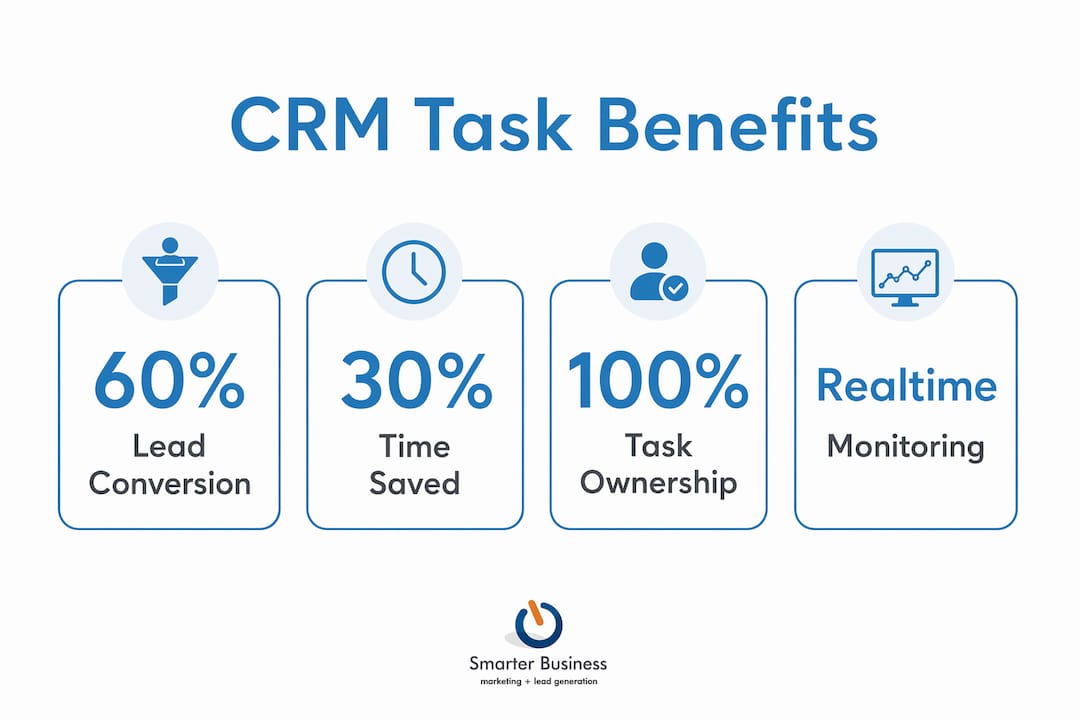
The practical impact is measurable. Businesses that adopt CRM task management and workflow automation report a 29% increase in sales and 8-14% shorter sales cycles, driven by more consistent lead tracking and follow-ups. Employees also benefit from up to 30% time savings by automating repetitive tasks like data entry and follow-up scheduling. They reflect what happens when task information moves from individual heads and scattered spreadsheets into a single shared system.
The core features underpinning this are:
- Automated task reminders triggered by deal stage changes, so follow-ups happen reliably rather than by memory
- Task assignment with clear ownership, so every action has one named person responsible
- Prioritisation by deal value and urgency, not just deadline order
- Real-time visibility for managers across the whole team’s pipeline
- Outcome logging that records what happened and automatically generates the next step
What does effective CRM task management actually look like?
The features that make task management genuinely useful inside a CRM go well beyond a basic checklist. Here is what the best implementations include.
Automatic task creation from deal stages. When a deal moves forward, the CRM generates the next task without the rep having to remember. A completed demo triggers a follow-up call. A sent proposal creates a review reminder at a set interval. If reps have to manually build every task, gaps are inevitable.
Task assignment and ownership. Every task needs one owner. Not “the team.” Not “whoever sees this first.” That is how tasks go to hide. Clear assignment means managers can see workload distribution and reps know exactly what is expected of them.

Prioritisation by account importance and deal size. A follow-up with a high-value account in the final stage of a deal should surface above a routine check-in with a stable customer. Task prioritisation by account importance ensures sales teams focus on high-value activities first, rather than just working through tasks in deadline order.
Real-time progress monitoring. Overdue tasks get flagged automatically. Accounts going cold become visible before they go dark entirely. Manager visibility dashboards reduce the need for manual status meetings by giving team leads a live, filterable view of what is happening across all accounts.
Calendar and communication integration. CRMs and calendars are a natural pairing. A change to a task in the CRM appears automatically in the rep’s calendar, and vice versa. Email integration means every sent message and logged call sits alongside the task history, so nothing lives in a separate inbox silo.
Reporting on task completion and pipeline health. Dashboards track completion rates, time-to-sale, and follow-up frequency. These reports reveal where deals stall, which reps are overloaded, and which stages of the pipeline need attention.
Collaboration on shared tasks. When multiple team members work on a single account, shared task visibility prevents duplication and dropped handovers. A new rep picking up an account sees the full task and outcome history immediately.
Custom workflows and automation rules. When a lead converts, the CRM can automatically send a thank-you email, set a follow-up date, and notify the relevant team member. Wherever there is repetition, there is room for automation.
The table below contrasts manual task handling with CRM-integrated task management across the dimensions that matter most to sales leaders.
| Area | Manual approach | CRM task management |
|---|---|---|
| Task creation | Created from memory, often missed | Triggered automatically by deal stage or logged outcome |
| Visibility | Only the rep knows what is pending | Manager sees all tasks across the team in real time |
| Follow-up reliability | Depends on individual discipline | System-enforced with reminders and escalation |
| Handover quality | New rep starts from scratch | Full task and outcome history available immediately |
| Prioritisation | Deadline order or gut instinct | Weighted by deal value, account health, and proximity to close |
| Reporting | Compiled manually in weekly meetings | Generated automatically from logged activity |
How does task management improve CRM results for sales teams?
The productivity gains from integrating task management with CRM are well documented, and for Irish and UK SMBs managing complex sales pipelines, they translate directly into revenue.
CRM automation can improve lead conversion rates by up to 60% by reducing non-selling administrative tasks, which typically consume 40% of sales time. Automation reclaims that time and redirects it towards actual customer conversations.
There is also a cognitive benefit that often goes unacknowledged. When task lists live inside the CRM rather than across a rep’s inbox, notebook, and memory, the mental load drops considerably. Sales professionals stop rehearsing what they might have forgotten and start focusing on what actually needs doing next. It is the difference between playing whack-a-mole with reminders and having a clear, prioritised list waiting for you when you open your laptop.
The benefits for sales leaders are equally concrete:
- Accountability without micromanagement. When tasks are visible to the whole team, follow-through improves naturally. Viewing task management as a visibility and trust-building tool, rather than surveillance, fosters a healthier team culture.
- Faster, better-informed actions. Connecting tasks directly with account data and communication history removes the delay caused by searching through unrelated emails and spreadsheets. The context is already there.
- Shorter sales cycles. Consistent, timely follow-ups are among the strongest predictors of deal success in B2B sales. The reduction in sales cycle length comes directly from reliable, consistent follow-ups enabled by effective CRM task management.
- Distributed team management. When task information is centralised, geography becomes irrelevant. Managers have identical visibility whether their team is in one office or spread across multiple cities, which is particularly relevant for Irish businesses with remote or field-based sales staff.
- Cleaner pipeline data. Mobile access to CRM task management significantly improves data quality by enabling reps to log outcomes immediately after interactions, rather than reconstructing events hours later from memory.
The role of CRM in reducing admin for SMEs is well established, and task management is where that reduction is most tangible. Less time on admin, more time on customers.
How to implement CRM task management without the usual pitfalls
Most CRM task management failures are not technical. They are cultural, and they follow a predictable pattern. A team configures an elaborate system, nobody uses it consistently, and the CRM becomes a reporting tool for the manager rather than a working tool for the rep. Most CRM adoption failures arise from cultural resistance and attempts to build complex workflows too early.
The fix is to start simple. Tasks, assignments, due dates, and basic statuses. That is all you need in week one. Add complexity only when you feel a specific pain that a more sophisticated workflow would solve. A perfect system that nobody uses is infinitely worse than a simple one that everyone opens every morning.
Before you automate anything, map your current sales workflow manually. If your existing process for following up on a demo is inconsistent or unclear, automating it will only make the inconsistency faster and harder to spot. Mapping current manual sales task workflows before automation is the step most teams skip, and it is the one that costs them the most.
Practical steps that make the biggest difference:
- Set clear ownership rules. Every task gets one named owner. No shared tasks with no individual accountability.
- Build a review routine. A weekly check of overdue tasks and pipeline health keeps the system accurate and prevents it from becoming a graveyard of stale reminders.
- Use manager dashboards proactively. Real-time visibility lets managers spot bottlenecks and coach reps before a deal goes cold, not after it is lost.
- Enable mobile access. Reps logging outcomes immediately after a meeting produce far better data than those reconstructing events at the end of the day.
- Integrate with email and calendar. The fewer systems a rep has to switch between, the more likely they are to keep the CRM current. Email automation integrated with CRM task workflows is one of the most effective ways to reduce manual effort.
Pro Tip: Track outcomes, not just activity volume. Counting calls and meetings is easy to game and tells a manager very little. What matters is whether each interaction moved the deal forward, stayed neutral, or revealed a risk. A CRM that requires outcome assessment for every logged activity produces data that is genuinely useful for coaching and forecasting, rather than a vanity metric that looks busy but says nothing.
Which CRM platforms offer strong task management for UK and Ireland businesses?
Several CRM platforms stand out for their task management capabilities, each with a different emphasis. Here is a practical overview for businesses evaluating their options in 2026.
Bitrix24 is a broad platform that combines CRM, task management, and team collaboration in a single environment. Its Kanban and Gantt chart views make workload distribution visible at a glance, and its automation tools handle repeating tasks, reminders, and workflow triggers without manual input. It suits teams that want a single platform covering sales, project coordination, and internal communication.

Copper CRM is built specifically for Google Workspace users. Its task management integrates directly with Gmail and Google Calendar, which means reps work almost entirely within tools they already use. It is particularly well suited to smaller sales teams where the priority is reducing friction rather than building elaborate workflows.
FibreCRM is a UK-based CRM platform designed with professional services firms in mind. Its task management features are tightly integrated with contact and relationship data, making it a natural fit for businesses where long-term relationship management matters as much as pipeline velocity.
Act! CRM has been a trusted platform for SMEs for decades, and its task management capabilities remain genuinely practical for small and medium-sized sales teams. Activity scheduling, automated follow-up reminders, and clear task ownership are built into its core workflow. What makes Act! particularly relevant for Irish and UK businesses is the availability of certified consultancy support. Smarterbusiness is a certified Act! CRM Consultancy, and the team has spent over a decade configuring Act! to match how real businesses actually operate, not how a software manual assumes they do. That means your task workflows, terminology, reporting structures, and permissions are set up to reflect your process, not a generic template.
When selecting a CRM for task management, the criteria that matter most are:
- Ease of use for the rep, not just the manager. If the daily interface is clunky, adoption will be low.
- Integration with email and calendar, so task management does not require switching between systems.
- Regional support and consultancy availability, particularly for businesses that need configuration rather than just a software licence.
- Automation depth, from simple reminders to multi-step workflows triggered by deal stage changes.
Smarterbusiness offers CRM training and consultancy services tailored specifically to SMEs in Ireland and the UK, with a focus on making task management practical for the team using it every day, not just impressive in a demo.
Key takeaways
Effective CRM task management transforms sales activity from fragmented individual effort into a shared, proactive system that improves follow-up reliability, shortens sales cycles, and gives managers real-time visibility without constant check-ins.
| Point | Details |
|---|---|
| Start simple, then automate | Begin with tasks, assignments, due dates, and basic statuses before building complex workflows. |
| Prioritise by deal value | Weight tasks by account importance and deal size, not just deadline order, to focus effort where it counts. |
| Sales cycle impact | CRM task management and workflow automation are associated with a 29% increase in sales and 8-14% shorter sales cycles. |
| Outcome logging beats activity counting | Recording whether each interaction moved a deal forward produces data useful for coaching and forecasting. |
| Consultancy accelerates adoption | Configuring task workflows to match your actual sales process, rather than a generic template, is what drives consistent team use. |