You have 0 items in your cart

Assignment rules automatically route new leads to the right person or team, using ordered rule sets and a distribution method that decides who picks up the next one. Start with a single, tested rule set, keep your segments simple and enable a fallback queue so nothing sits unclaimed. Get availability checks right before you scale up complexity. Specialist consulting services can help design and build this if you would rather not learn it the hard way.
TL;DR:
- Ensuring the correct order of lead assignment rules is crucial, as the first matching rule in the list determines routing, making order management vital.
- Default fallback rules and queues at the bottom of the rule list act as safety nets to prevent leads from remaining unclaimed.
- Capacity-based routing depends on up-to-date availability data, so regular checks and proper data maintenance are essential for accuracy.
- Building and testing rules should follow a step-by-step process, starting with segment definition and small-scale pilots to prevent system-wide errors.
- Prioritizing simplicity in rule design and maintaining clear documentation reduces complexity creep and improves long-term manageability.
Table of Contents
- How lead assignment rules actually run
- Choosing between round robin, load balancing and capacity routing
- A design checklist before you touch the rule builder
- Rolling rules out without breaking anything
- What consulting on this actually teaches you
- Why simplicity beats cleverness here
- Getting help from Smarter Business Services
- Sources
- FAQ
How lead assignment rules actually run
Think of assignment rules as bouncers at a club door, checking each new lead against a list and waving them through to the right table. Most platforms evaluate rules the moment a record is created or updated, working down an ordered list until one rule matches. Once a match is found, the rule is applied and later rules are skipped, so order is not a cosmetic detail. It is the whole game.
That means a rule sitting at the top of the list with loose conditions will scoop up leads meant for something further down, a bit like the greedy relative who takes the last roast potato before it reaches anyone else. Name rules clearly, keep a change log, and review the order every time you add a new one.
A few mechanical points catch administrators out repeatedly:
- Rules typically apply only to records created or updated after activation, so older leads sitting in the system will not be swept up automatically.
- Builders often cap the number of conditions or related-entity checks allowed in a single rule, which is why dynamic attributes exist, letting you collapse a dozen geography checks into one maintainable condition.
- When no rule matches, most systems leave the lead unassigned or drop it into a default queue, so a fallback rule at the bottom of the list is not optional, it is the safety net.
Get the order and the fallback right first. Everything else is decoration.
Choosing between round robin, load balancing and capacity routing
Round robin passes leads round the team in turn, like dealing cards. It is simple and feels fair, but fairness here means equal turns, not equal effort, so a rep who closes fast and a rep who is still on their first call both get the next hand regardless.
Load balancing and capacity routing look at who actually has room. Available capacity is generally calculated as maximum capacity minus currently consumed active records, which sounds tidy until someone forgets to update a rep’s maximum after a promotion or a leave of absence.
Capacity routing is only as accurate as the data behind it. An apparently idle seller can still be excluded by schedule or availability settings, meaning the system is not broken, your admin data is.
Some practical rules of thumb:
- Use round robin for simple, undifferentiated lead flows where speed of contact matters more than fit.
- Use capacity or load balancing once your team has genuinely different workloads or part-time patterns.
- Check availability windows and time buckets regularly, since a rep marked unavailable at the wrong hour will quietly starve of new leads.
A design checklist before you touch the rule builder
Building rules before you have defined your segments is a bit like fitting a suit before taking any measurements. Work through this order instead.
- Define segments first. Group leads by source, product line or campaign so your rules have something sensible to match against, rather than a tangle of one-off conditions.
- Pick a matching strategy. Oracle’s documentation frames this as a choice between matching the first eligible candidate, scoring several and picking the best, or applying a threshold, and the right answer depends on whether you want speed or fit.
- Use dynamic attributes over static lists. A rule built on “region equals sales territory” survives a reorg far better than one hardcoded to named individuals.
- Limit conditions per rule. Two or three clear conditions beat eight nested ones that nobody can debug six months later.
- Design the fallback path properly. Decide what happens when no rule matches: a shared queue, an escalation notice, or both.
- Put governance around the whole thing. Consistent naming, a test plan and a documented rollback step turn assignment rules from a fragile trick into a repeatable process.
Pro Tip: Build one rule, test it against ten real leads, and only then add the next one, rather than designing the entire rule set on a whiteboard and hoping it survives contact with reality.
Rolling rules out without breaking anything
Treat this like fitting a new engine part: test the bench version before you bolt it into the car.
- Confirm data readiness: seller attributes, capacity figures and team or queue structures should all be accurate before a single rule goes live.
- Build segments, then author rules with grouped conditions, choosing assignees and a distribution method, and set any availability windows or time limits before activating.
- Run a sandbox test with sample records, watching for leads that fall through with no match, then check again after a small production pilot.
- Keep a rollback plan ready, meaning the previous rule set stays documented and reactivatable within minutes if the new one misbehaves.
Once live, a few habits keep things honest:
- Monitor for unassigned or overdue leads daily during the first fortnight.
- Set an alert when a lead sits unclaimed past your chosen time window.
- Review capacity figures monthly, since stale numbers are the single most common cause of routing that looks random.
What consulting on this actually teaches you
The most common failure is not a broken rule, it is a forgotten one. A rep goes on leave, nobody updates their capacity, and leads quietly keep landing on their desk like post through a letterbox nobody checks. The rule was never wrong. The data feeding it went stale.
The second pattern is complexity creep: a rule that started with two conditions grows a third, then a fourth, until nobody can explain why a particular lead went where it did. Start simple and add conditions only when a specific, named problem demands it.
Pilot one segment with a clear overflow policy before rolling changes out to the whole team. It exposes the edge cases while the blast radius is still small.
That single habit, tested repeatedly across CRM rebuilds, prevents most of the fire drills that follow a big-bang rollout.
Why simplicity beats cleverness here
Most advice on lead routing focuses on the algorithm: round robin versus scoring versus thresholds. That is the least important decision most teams make. The algorithm rarely fails. The underlying data, capacity figures, availability settings, segment definitions, is what quietly rots and drags the whole system down with it.
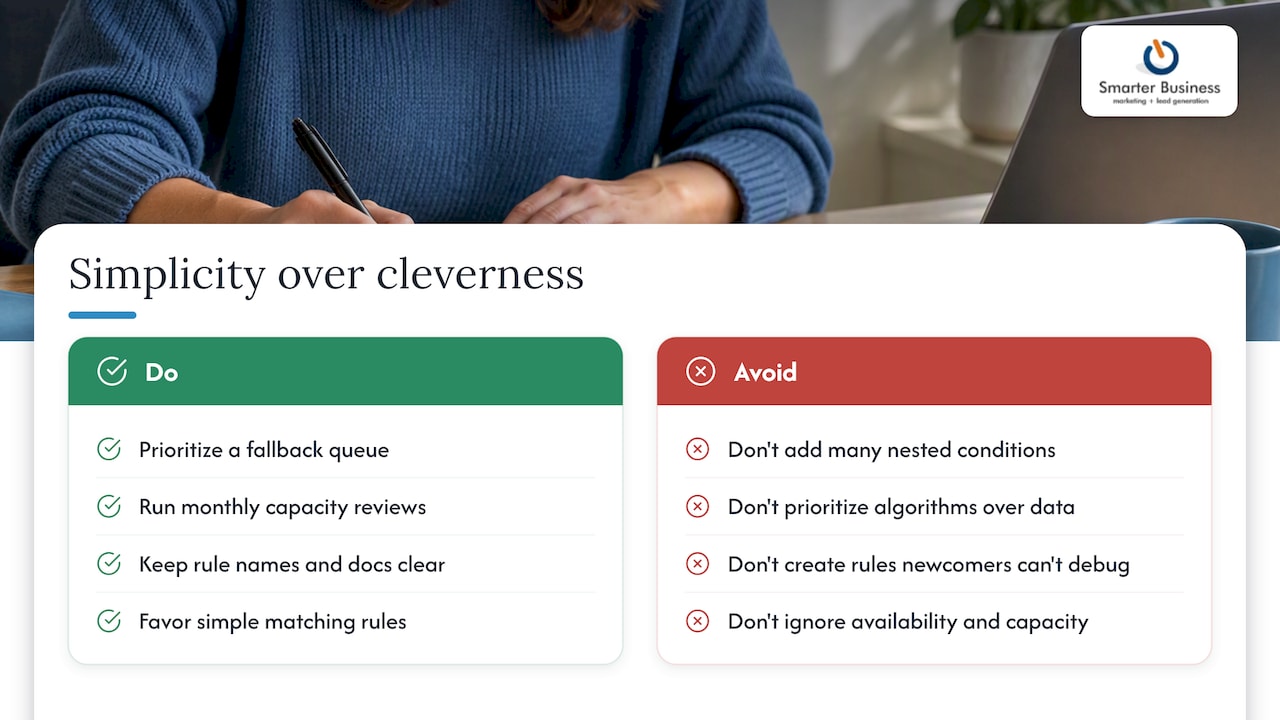
The overrated idea is that more conditions equal better targeting. In practice, a rule with six nested conditions is a rule nobody can debug at nine o’clock on a Friday when leads stop moving. The underrated discipline is naming and documentation, dull as that sounds, because the rule set you cannot explain to a new hire is the one that will eventually misfire silently.
If you take one thing from this, prioritise a fallback queue and a monthly capacity review over a cleverer matching formula. Fit and fairness matter, but only once leads are actually reaching someone.
— Patrick Lennon
Getting help from Smarter Business Services
Designing assignment rules is straightforward on paper and fiddly in practice, which is exactly the gap Smarter Business Services fills. Rather than handing you a manual and wishing you luck, the approach starts with your actual workflows, terminology and team structure, then builds rules around how your business already runs.

Typical engagement follows a short path: an audit of your current lead flow, a pilot on one segment, a full implementation, training for your team, and ongoing support once it is live. Relevant services include:
- CRM customisation to build the attributes and segments your rules depend on.
- Act! CRM training so your team can maintain and adjust rules without calling in help every time.
- Automation and reporting support to keep capacity data and dashboards honest over time.
If you are also weighing up licensing, the Act! product tiers and pricing page lays out current options. Book a consultation through Smarter Business to get your rule set designed properly the first time.
Sources
For the mechanics behind specific platforms, the primary sources below are worth bookmarking:
FAQ
How do lead assignment rules work in Salesforce?
Salesforce-style assignment rules check new or edited records against an ordered list of conditions and route the first match to a chosen owner or queue. The general mechanics mirror other platforms: rules run in sequence, the first match wins, and unmatched records typically fall to a default owner or queue.
What are assignment rules in Zoho CRM and how do they work?
Zoho CRM’s assignment rules follow the same broad pattern as other CRM platforms: conditions are checked against incoming or updated records, and a matching rule assigns the lead to a specific user, team or round robin group. As with most CRM tools, rule order and fallback handling determine what happens when no condition matches.
What are assignment rules?
Assignment rules are automated instructions that route new or updated records, typically leads, to the correct person, team or queue based on defined conditions. They usually run in a set order, stopping at the first matching rule, with distribution methods such as round robin or capacity-based routing deciding the final recipient.
How do you assign a lead in Salesforce?
A lead can be assigned manually by changing its owner field, or automatically through an active assignment rule that checks the lead against ordered conditions. Most teams rely on automated rules for volume, reserving manual reassignment for exceptions or escalations.
How do I test assignment rules before going live?
Run new rules in a sandbox against sample records first, checking that leads land with the expected owner and that none fall through unassigned. Follow with a small pilot on one segment in production, monitoring for overdue or unassigned leads before rolling the rule out more broadly.