You have 0 items in your cart

Integrate CRM and accounting by synchronising a handful of priority flows, deciding which system owns each piece of data, and running a proof of concept before you touch full roll-out. Do that, and you shorten quote-to-cash, cut invoicing errors and give your sales team a clear view of what customers actually owe. Skip the ongoing monitoring afterwards, though, and the whole thing quietly rots.
TL;DR:
- Focusing on three to five priority data flows, such as contacts, quotes, and invoices, ensures a smooth and manageable CRM-accounting integration process.
- Using shared customer IDs and clear deduplication rules is crucial to prevent duplicate records and data conflicts during initial setup.
- Real-time synchronization of invoice status and stock levels is vital for maintaining timely customer communication and avoiding errors.
- Running a proof of concept over several months on a single flow helps validate architecture choices and prevents costly, unnecessary changes later.
- Ongoing monitoring and a designated owner are essential to keep the integration healthy, with proactive error tracking and maintenance budgeted at 15 to 25 percent of initial costs annually.
Table of Contents
- What CRM–accounting integration actually connects
- Top benefits for small and medium businesses
- Which data flows to synchronise first
- Choosing the right integration architecture
- Running a proof of concept before full roll-out
- Keeping the integration healthy after launch
- What actually goes wrong on the ground
- How Smarter Business can help you get there
- Primary sources and further reading
- Sources
- FAQ
What CRM–accounting integration actually connects
CRM accounting integration means linking your customer relationship system with your accounting or ERP software so data moves between them automatically, rather than being typed twice by someone who would rather be doing anything else. CRM owns the relationship: contacts, deals, activity history. Accounting owns the money: invoices, payments, aged receivables. Neither should try to be the other.
The data that typically crosses the bridge includes:
- Contacts and accounts, so a new customer in one system appears in the other without re-entry
- Quotes converting into orders, keeping sales and fulfilment in step
- Invoices and payment history, so sales teams see what is owed without pestering accounts
- Pricing, terms and inventory availability, so quotes reflect reality
- Returns and support cases, which affect both customer sentiment and the ledger
Deciding which system is the “master” for each data type, and which direction updates flow, is the single most important design decision you will make. Get it wrong and you spend the next year chasing conflicting records.
Top benefits for small and medium businesses
The case for integration rests on a few concrete gains rather than a vague promise of efficiency. First, you stop re-keying the same invoice or contact into two systems, which frees up hours that were previously spent on glorified data entry. Second, cash flow visibility improves markedly: sales staff can see an ageing invoice the moment it slips, rather than finding out three weeks later from an irritated finance manager.
Third, errors drop. Manually copying figures between a CRM and a spreadsheet or accounting package is exactly the kind of repetitive task where mistakes creep in, and those mistakes tend to surface at the worst possible moment, usually during an audit or a big client renewal.
There is also a compliance angle that is easy to overlook. Ireland’s phased VAT Modernisation rules require businesses to be ready to receive structured eInvoices from November 2028, with large corporates required to issue them from that date. A CRM that already talks to your accounting system in structured data, rather than PDF attachments and guesswork, puts you ahead of that deadline rather than scrambling to catch up.
- Fewer re-keying tasks and reconciliation headaches
- Real-time visibility of overdue invoices for the sales team
- Fewer transcription errors between systems
- Stock and credit alerts that help close deals rather than embarrass them
The push: Ireland’s VAT Modernisation programme sets November 2028 as the date all businesses must be able to receive structured eInvoices, turning integration from a nice-to-have into a compliance requirement.
Which data flows to synchronise first
Trying to integrate everything at once is how projects stall. The sensible approach, drawn from architecture guidance built around seven priority flows, is to pick three to five flows that deliver the most obvious value, get those stable, and only then expand.
- Contacts and accounts: new customer records sync both ways, with accounting usually treated as the master for legal and billing details.
- Quotes to orders: a won deal in CRM should create an order in accounting without anyone retyping line items.
- Invoices to CRM history: sales sees invoice status and payment history against the customer record, not buried in a separate portal.
- Inventory and availability: CRM reflects stock levels so quotes do not promise what the warehouse cannot deliver.
- Pricing and terms: negotiated discounts and payment terms stay consistent across both systems.
- Returns and support cases: credit notes and service issues update the customer’s financial picture.
- Financial ageing and payment status: overdue balances surface in CRM dashboards, not just finance reports.
Matching keys matter more than most people expect. A shared customer ID, rather than matching on name or email, avoids the duplicate-record chaos that plagues so many first attempts. Decide dedupe rules before you sync anything, not after you discover three “John Murphy” records with three different phone numbers.
Pro Tip: Pick the flow with the most manual re-keying today, usually quotes-to-orders or invoice history, and prove it works before adding a second one.
Choosing the right integration architecture
There is no single correct way to connect a CRM and an accounting package. The right choice depends on how standard your systems are, how much customisation you have already layered on, and how much ongoing maintenance you can stomach. Architecture guidance from CRM-ERP integration specialists sets out five common approaches, each with a different balance of effort and control.
- Native integration: built-in connectors between well-known systems, quickest to set up, limited flexibility
- iPaaS or middleware: a connector platform sits between systems, good for moderate customisation without heavy development
- Point-to-point API: direct connection between two systems, efficient for simple two-system setups
- Event-driven integration: updates trigger the moment something changes, suited to high-volume or time-sensitive flows
- Custom integration layer: bespoke code for heavily customised stacks, offering the most control at the highest maintenance cost
Real-time syncing suits invoice status and stock availability, where a delay causes a bad customer conversation. Batch processing is perfectly adequate for less urgent data, such as nightly contact updates.
| Architecture | Complexity and developer effort | Real-time vs batch fit | Maintenance burden |
|---|---|---|---|
| Native | Low | Both, depending on connector | Low |
| iPaaS/middleware | Moderate | Both | Moderate |
| Point-to-point API | Moderate | Real-time favoured | Moderate |
| Event-driven | High | Real-time | Moderate to high |
| Custom layer | High | Both, fully configurable | High |
Running a proof of concept before full roll-out
A proof of concept is the difference between a considered integration and an expensive experiment that nobody dares switch off. The architecture checklist for CRM-ERP projects recommends validating readiness on one flow before committing further budget.
- Scope one priority flow, such as quotes converting to orders, and name the master system for every field involved.
- Choose matching keys and dedupe rules up front, so test data does not create duplicate customer records.
- Set success metrics, such as invoice accuracy or time saved per order, before you start rather than after.
- Run the POC over roughly three months, long enough to hit a real billing cycle, and budget accordingly since costs vary with system complexity.
- Load test with peak volumes, not averages. A system that copes fine on a quiet Tuesday can buckle during a seasonal rush.
- Plan for the accounting system being unavailable, deciding whether CRM queues updates or simply flags the failure.
- Roll out in phases, expanding to the next flow only once the first is stable and trusted by the team using it.
Our own CRM implementation process guide and implementation checklist cover the earlier scoping stages in more detail.
Keeping the integration healthy after launch
An integration that works on launch day and then gets ignored is a slow-motion problem. Sync logs, error alerts and a simple dashboard showing failed transfers are not optional extras, they are what tells you the invoice sync silently stopped three days ago rather than three months ago.
- Set up alerting for failed syncs, not just successful ones
- Review error logs weekly rather than waiting for a customer to complain
- Track SLA-style metrics, such as sync latency and failure rate
- Assign a named owner for the integration, even in a small team
Budget for maintenance properly. Guidance from CRM-ERP integration practice suggests provisioning around 15 to 25% of the initial project cost annually, covering monitoring, error fixes and the inevitable software updates on either side. Our CRM scalability checklist covers the load-testing and pre-launch validation points worth revisiting as your data volumes grow.
Pro Tip: Review your integration’s error log every Monday morning, before the week’s invoices pile up behind it.
What actually goes wrong on the ground
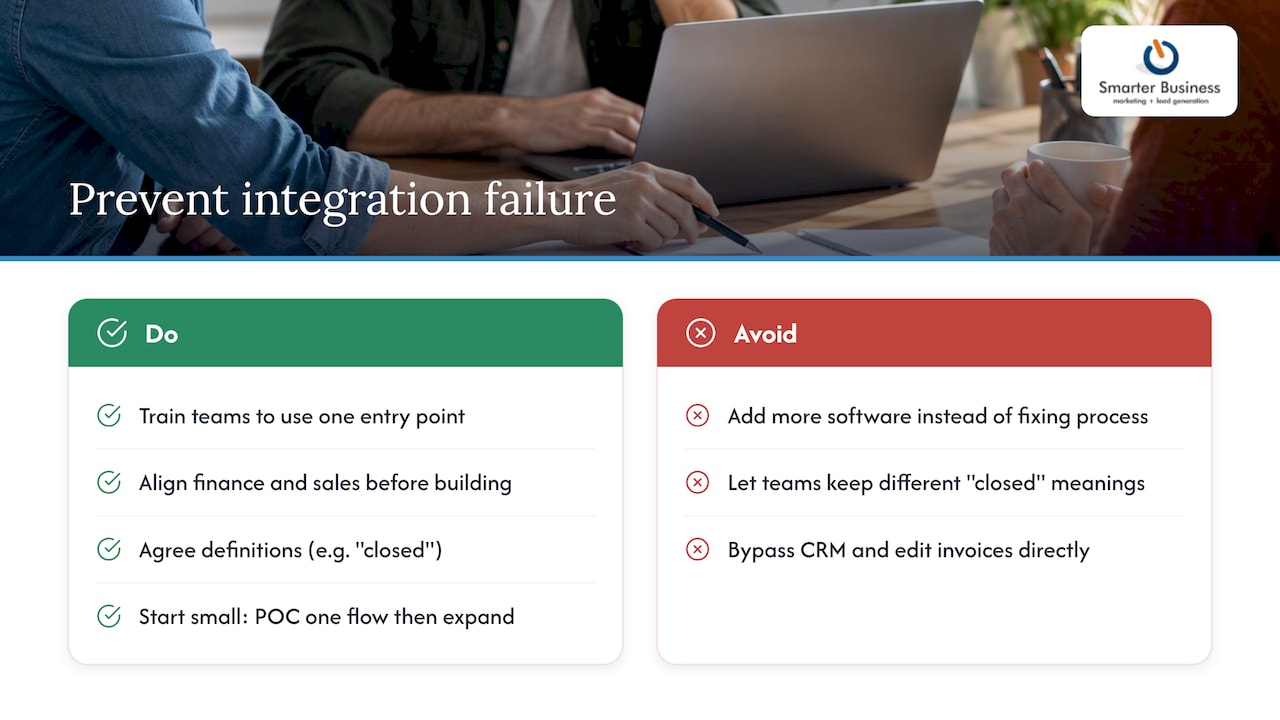
Most integration failures are not technical, they are behavioural. Someone bypasses the CRM and edits an invoice directly in accounting, and now two systems disagree about the truth. The fix is not more software, it is training people to use one entry point consistently.
Get the finance team and the sales team in the same room before you build anything. They disagree about what “closed” means far more often than either side expects, and that disagreement will break your sync if it is not settled first. Start small, prove one flow works, then expand.
— Patrick Lennon
How Smarter Business can help you get there
Running a CRM accounting integration without a guide is a bit like assembling flat-pack furniture from the picture alone. It usually works eventually, but there is a lot of swearing and at least one spare screw left over. Smarter Business has spent over a decade tailoring Act! CRM around how Irish SMEs actually work, rather than how software vendors imagine they work.

Our Connect | Integrate service sets up the Act! Accounting Link with QuickBooks or Xero, pulling customer records, invoices and aged receivables straight into your CRM. From there we can help with:
- Scoping which flows to prioritise for your business, not a generic list
- Configuring the Act! Accounting Link and any custom connectors you need
- Running the proof of concept and measuring whether it earns its keep
- Ongoing monitoring, support and staff training once it is live
Before a scoping call, have your current accounting package, rough monthly invoice volume and your biggest re-keying headache ready to discuss. Plans such as Act! Advantage Standard, Professional and Ultimate start from €30 per month per user, and our CRM training sessions get your team using the new setup properly from day one. Get in touch to book a consultation and see what a properly connected CRM looks like for your business.
Primary sources and further reading
- CRM ERP integration complete architecture guide, on priority flows and maintenance budgeting
- CRM ERP integration architecture and best practices, on choosing an integration method
- Revenue’s VAT Modernisation announcement, on eInvoicing deadlines
- Act! Accounting Link setup guide, on connecting Act! to Xero or QuickBooks
- The Field Guide to AI for Accounting Firms, on how AI is changing accounting workflows
Sources
- CRM ERP integration complete architecture guide
- How to set up the Act! Accounting Link in Act! Advantage
FAQ
What is CRM for accounting?
CRM for accounting refers to connecting a customer relationship management system with accounting software so customer, invoice and payment data flow between them automatically. It lets sales and finance teams see the same up-to-date picture, such as invoice status or aged receivables, without manual re-entry.
What is CRM integration?
CRM integration is the process of connecting a CRM platform to other business systems, such as accounting, email marketing or e-commerce tools, so data moves between them without manual duplication. The Act! Accounting Link is one example, connecting Act! CRM to Xero or QuickBooks.
Can Excel be used as a CRM?
Excel can technically track contacts and deals, but it has no automation, no shared real-time view for a team, and no reliable way to connect to accounting software. It works as a stopgap for a very small business, but most SMEs outgrow it once more than one person needs to update customer records.
Will CRM be replaced by AI?
AI is being layered into CRM systems to automate data entry, flag risks and summarise activity, rather than replacing the CRM itself. Guides such as The Field Guide to AI for Accounting Firms frame AI as an addition to existing workflows rather than a wholesale replacement for the systems that hold the data.