You have 0 items in your cart

A VoIP CRM integration connects your phone system to your customer database so every call logs itself, and the right customer card appears on screen the moment the phone rings. For sales and support teams at small and medium businesses, that means no more scrambling for notes mid-call. The result: faster follow-ups and a customer history that’s actually there when you need it.
TL;DR:
- Native and marketplace connector options streamline setup, but custom API development requires technical expertise and longer timelines.
- Accurate field mapping, normalized contact data, and thorough testing are essential to prevent match failures and poor call quality.
- Proper initial planning, including workflow mapping and staged rollout, can significantly reduce project delays and integration errors.
- Core features like click-to-call, automatic call logging, and screen pop significantly improve agent efficiency and customer experience.
- Engaging a CRM specialist for workflow design and support can minimize risks and ensure the integration aligns with business processes.
Table of Contents
- What is VoIP CRM integration and how does the data actually flow?
- The real business case: what integration actually buys you
- What to insist on when comparing VoIP CRM tools
- How to set up a VoIP CRM integration: routes and steps
- Budgeting the project: cost and timeline for SMEs
- The pitfalls that actually derail these projects
- Why a CRM specialist reduces the risk on this kind of project
- What I’ve learned from watching these rollouts up close
- How Smarterbusiness gets your VoIP and CRM actually talking
- Sources
What is VoIP CRM integration and how does the data actually flow?
Strip away the acronyms and it’s a simple handshake. Your phone system tells the CRM “a call is happening,” the CRM matches the number to a contact, and both systems agree on what gets written down afterwards. That’s the whole trick. The clever part is making that handshake reliable enough that nobody has to think about it.
There are four common ways vendors build this handshake. Native integrations are baked directly into the CRM or phone platform. Marketplace connectors are pre-built plug-ins you install and configure, usually the fastest route to something working. API or middleware links are custom-built connections, more flexible but needing proper development time. And some setups use a shared inbox approach, pulling calls, texts and web chats into one timeline so nobody’s hunting through three different tools for the same conversation.
What actually moves between the two systems? Typically the call timestamp, duration, recording (if enabled), any notes an agent types during or after the call, and tags that route the interaction into the right pipeline or campaign. A VoIP CRM integration automatically logs this metadata and supports click‑to‑call, so an agent can dial straight from a contact record instead of retyping a number.
One thing that trips people up: cloud CRMs and desktop CRMs behave differently here. A cloud CRM generally syncs in near real time; a desktop-installed CRM may need a sync client or scheduled refresh, which matters if your team expects instant screen pops rather than a five-minute lag. And if your team runs softphones rather than desk handsets, network quality becomes part of the integration conversation too. Poor jitter or latency doesn’t just make calls sound bad, it can delay the very data the CRM is waiting on. Softphone-first setups work well for most SMEs, but only when the network underneath is actually up to the job.
The real business case: what integration actually buys you
Here’s the honest pitch, minus the sales fluff: integration buys back time and buys in context. Every minute an agent spends typing a call summary into a CRM by hand is a minute not spent talking to the next customer, and manual logging is exactly the kind of task people quietly stop doing when they’re busy. VoIP‑CRM connections remove that friction by capturing call data automatically and writing it back to the record without anyone lifting a finger.
Then there’s the customer experience angle, which is where most businesses feel the difference first. Screen pop, the pop-up customer card that appears the second a known number calls in, turns a stranger’s call into “Oh, it’s Sarah from Riverside Consulting, she called last Tuesday about the invoice query.” No fumbling, no “can you remind me who you are again?” Agents sound like they remember, because for once, they actually do.
Recordings and call analytics add a third layer most people underestimate: quality assurance. A sales manager can listen back to how a rep handled an objection rather than guessing from a vague CRM note. That’s coaching material you simply don’t get from a spreadsheet of call durations.
The KPI story is where this earns its keep on a business case. Teams running an integrated setup commonly report shorter average handling times, because agents aren’t switching between three tabs mid-call, and better conversion rates on follow-up calls, because the context is already loaded. CloudTalk’s analysis notes that a properly configured integration can lower costs and lift conversion specifically when it’s built around the sales workflow, not bolted on as an afterthought.
What to insist on when comparing VoIP CRM tools
Vendor brochures make everything sound essential. Most of it isn’t. Here’s what actually earns a place on your checklist:
- Click-to-call from any contact, deal, or ticket record, not just a dedicated dialler screen.
- Automatic call logging with timestamp, duration and outcome, so nobody has to remember to hit save.
- Screen pop on inbound calls, matched against existing contact records, not just raw phone numbers.
- Two-way contact sync, so a number added in the CRM works in the phone system and vice versa.
- Call recording and transcripts, ideally with searchable text, for coaching and dispute resolution.
- IVR integration, so call-routing decisions can pull from CRM data (VIP client, open ticket, and so on).
- Admin controls and permissioning, because not every agent should hear every recorded call.
- Reporting and consent handling, particularly if you record calls for training purposes.
Reviews from smaller teams tend to prioritise the first two on that list, click-to-call and logging, while larger operations weight analytics and automation more heavily, according to user feedback on review platforms. Worth knowing before you let a vendor’s demo dictate your priorities. And don’t skip network performance thresholds: a beautifully configured integration is still useless if calls drop or lag because nobody stress-tested the connection first.
How to set up a VoIP CRM integration: routes and steps
You’ve broadly got three routes in front of you, and picking the wrong one is the single most common reason these projects stall.
Native integration is built by the CRM or phone vendor itself. Fastest to switch on, but you’re limited to whatever fields and triggers the vendor decided to support.
Marketplace connector sits between native and custom, a pre-built plug-in you configure rather than build. This is usually the sweet spot for SMEs: reasonable setup time, decent flexibility, and someone else maintains the underlying code.
Custom API or middleware gives you full control over what syncs and when, but needs proper technical resource and ongoing maintenance. Reserve this for genuinely unusual workflows, not as a default choice. Cloud phone systems increasingly ship with pre-built connectors and workflow templates precisely to steer smaller businesses away from custom builds they don’t need.
Here’s a realistic sequence for getting from decision to live rollout:
- Define requirements. Which calls need logging? Who needs screen pop? What counts as a “resolved” call in your world?
- Map your fields. Agree what “customer,” “deal stage,” and “call outcome” mean across both systems before anyone touches configuration.
- Configure consent handling. Decide who gets recorded, how you notify callers, and where consent records live.
- Run a pilot with one team or one call queue, not the whole business at once.
- Test match rates. Check how many known contacts are actually being matched on inbound calls, this number tells you more than any demo will.
- Stress-test call quality under real network load, including international numbers, which often expose formatting gaps in contact data.
- Roll out in stages, training each group as they go live rather than dumping everyone in on day one.
If your internal team is confident with both platforms, you can likely handle a connector-based setup in-house. If you’re staring at custom API documentation with no developer on staff, or your CRM fields are a mess of inconsistent naming, that’s the point to bring in a consultant rather than losing three months to trial and error.
Budgeting the project: cost and timeline for SMEs
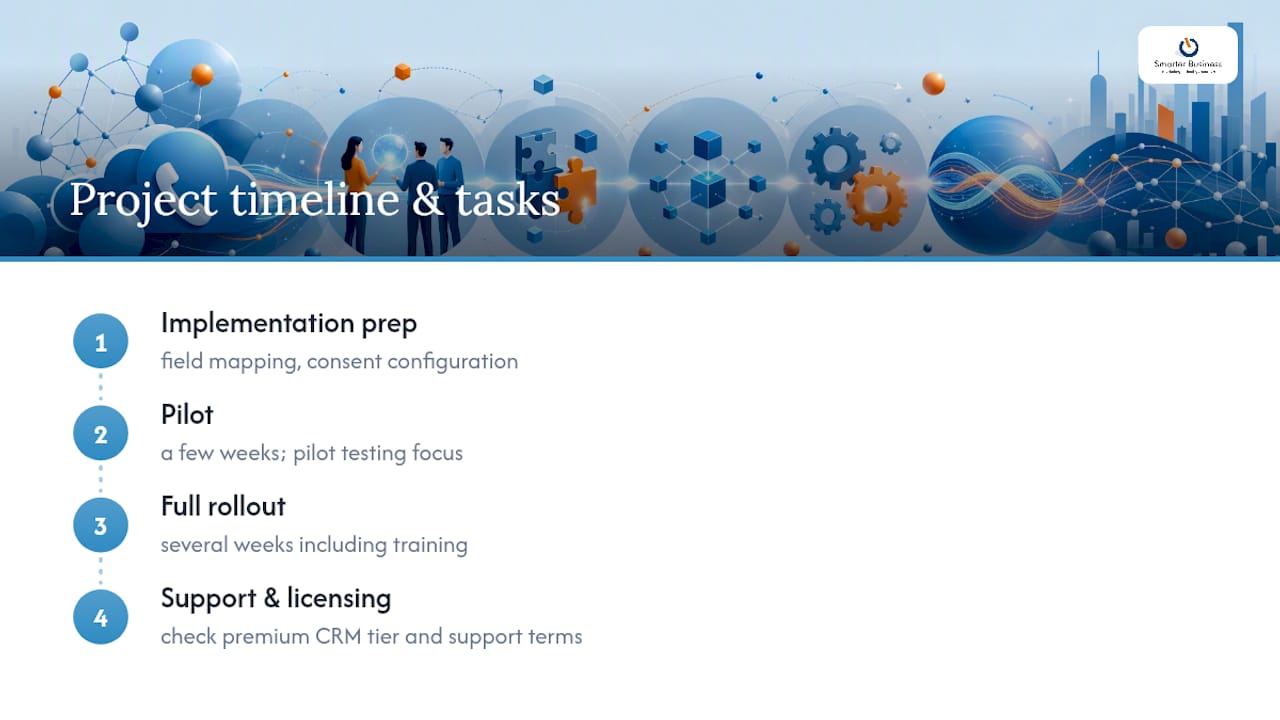
Pricing here tends to follow a shape rather than a fixed figure: expect a per-user monthly subscription for the phone system itself, plus a smaller per-user add-on for the CRM connector, with implementation typically charged separately as a one-off project fee. Where do those implementation hours actually go? Mostly field mapping, consent configuration, and pilot testing, not the “flip the switch” moment vendors show in demos.
A typical pilot may run a few weeks; full rollout for a mid-sized team can take several weeks including training. The most common bottleneck isn’t the technology, it’s decision paralysis over field mapping meetings that keep getting postponed. Watch for licensing gotchas too: some connectors need a premium CRM tier just to unlock API access, and support terms vary wildly between “included” and “billed by the hour.” Get exact figures in euros from your chosen vendor before signing, since headline pricing rarely reflects what a full SME rollout actually costs. Our Act! CRM pricing guide breaks down what typically sits inside a licence versus what gets billed separately.
The pitfalls that actually derail these projects
Field mapping failures top the list: two systems calling the same thing by different names creates duplicate records fast. Run a proper mapping workshop before configuration starts, and pick one canonical name per field.
Low match rates are the quiet killer nobody notices until go-live. Phone numbers stored with inconsistent formatting (spaces, country codes, leading zeros) won’t match cleanly. Normalise your number formats before rollout, not after.
Call quality problems are usually network issues wearing a software disguise. Test bandwidth and jitter under real load before blaming the integration itself.
And compliance traps hide in consent handling: document exactly how and when callers are told they’re being recorded, and test API rate limits early so you’re not discovering vendor caps mid-rollout.
Why a CRM specialist reduces the risk on this kind of project
A certified Act! CRM consultancy founded by an experienced professional with decades in sales, marketing, and operations rather than a purely technical background has worked in the field since 2014. That matters here because most integration failures aren’t software problems, they’re workflow problems wearing a technical disguise.
Vendor-agnostic implementation means the system gets shaped around how your team actually works, not the other way round. A proper workflow mapping exercise before configuration starts is what separates a smooth pilot from months of rework chasing mismatched fields and half-finished automation.
What I’ve learned from watching these rollouts up close
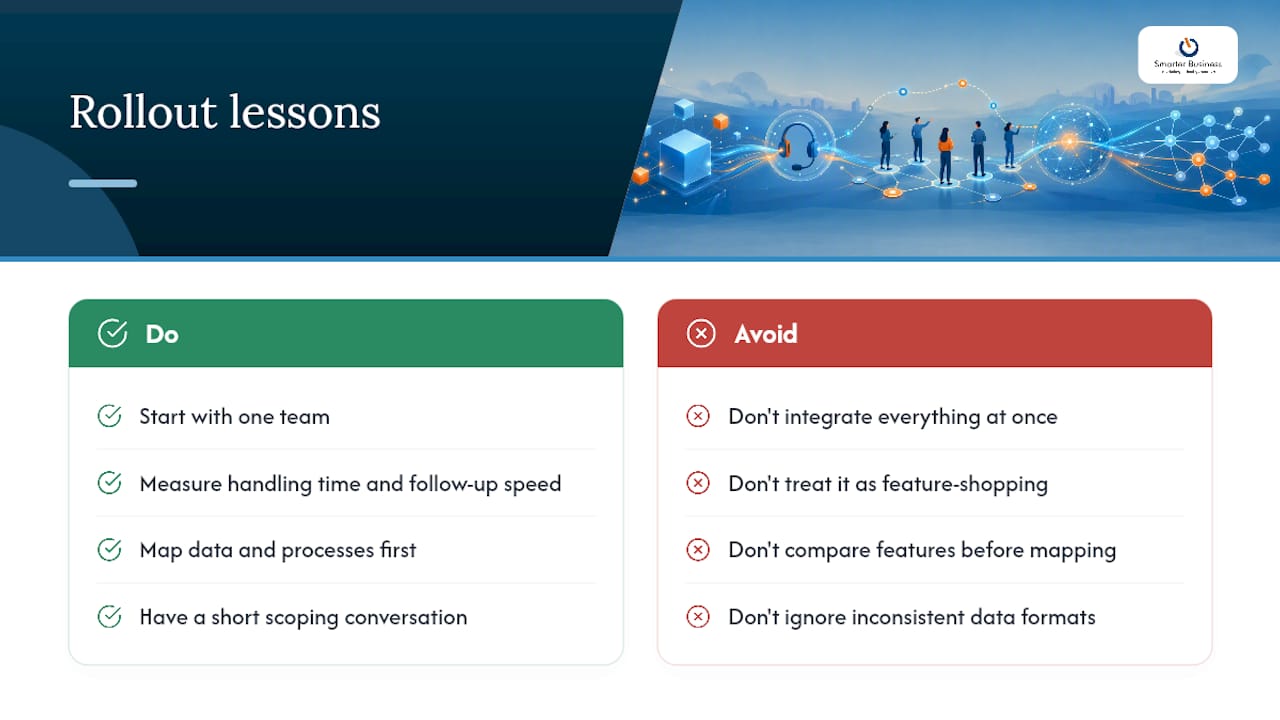
Start smaller than you think you need to. Every business that’s tried to integrate everything at once, every call queue, every automation, every reporting dashboard, on day one has ended up rebuilding half of it three months later. Pick one team, measure the impact on handling time and follow-up speed, then expand with actual evidence in hand rather than a hunch.
The bigger mistake, though, is treating this as a feature-shopping exercise. Businesses spend weeks comparing click-to-call buttons and recording quality, then discover their contact database has four different formats for the same phone number. Data and process mapping should always come before feature comparison, not after. Get the fields right and most integrations behave themselves, get them wrong and the fanciest software in the world just automates the mess faster. If you’re weighing this decision and want a second opinion before committing budget, a short scoping conversation usually surfaces the real question in ten minutes flat.
— Patrick Lennon
How Smarterbusiness gets your VoIP and CRM actually talking
Most integration headaches come down to one thing: nobody mapped the workflow before touching the settings. This consultancy provides a practical alternative to generic software installs, focusing more on understanding how teams sell and support customers than on merely clicking through configuration screens.

A typical engagement runs through discovery (what does a call actually need to trigger in your world), field mapping, a small pilot, staged rollout, and hands-on training so your team isn’t left guessing which button does what. Smarterbusiness also handles the CRM consultancy, workflow customisation, and ongoing support side of the project, not just the initial connection. If you’re weighing up whether to build this in-house or bring in someone who’s mapped these workflows before, Smarterbusiness’s CRM services covers the training, integration and support package in full, and it’s the right place to start the conversation before you commit to a vendor.
Sources
- VoIP CRM Integration: Full Guide & Best Integrations – CloudTalk
- Best AI Cloud Phone System for Business 2026
- Zoom VoIP phone product page