You have 0 items in your cart

An Act! CRM workflow template is a reusable, pre-built sequence that decides who gets contacted, when, with what message, and what happens next if they respond. Build it once and it runs your follow-up like a well-trained sheepdog, instead of you chasing every lead round the field yourself. Below: what templates can automate, how to create one, which Act! plan you need and the checks to make before you switch anything on.
TL;DR
- A workflow template is a repeatable trigger-and-action sequence: assign the lead, schedule the task, send the email, react to the reply.
- Act! says its pre-built workflow templates can be reused to automate the sales funnel again and again.
- Email templates are created in Act! Marketing Automation under Email Templates, then used in drip campaigns.
- Plan matters: automation depth rises from Standard (€30 per user per month) to Ultimate (€60 per user per month).
- Test with a small group first, then scale.
Table of Contents
- What is a workflow template, really?
- Seven jobs worth handing to a template
- How to create a template in Act! Marketing Automation
- Names, fields and fiddly bits: making a template yours
- Prioritising who gets a call
- Which Act! plan do you need?
- Before you press go
- Want it built around your business?
- FAQ
- Sources
What is a workflow template, really?
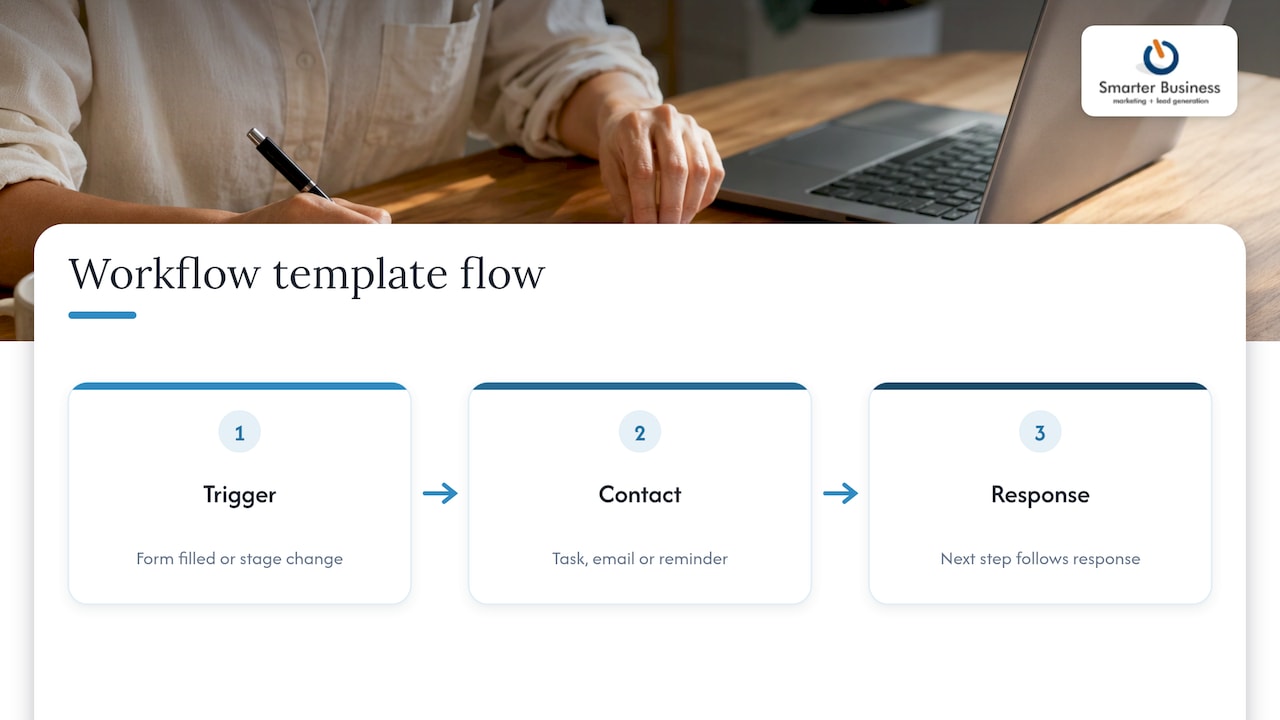
Think of a template as a recipe card for your sales process. The ingredients are your triggers (a form is filled in, a lead changes stage), and the method is the actions that follow (a task lands on a rep’s desk, an email goes out, a reminder pops up).
Act! describes CRM templates as pre-built or pre-formatted resources that streamline customer interactions and workflow management across marketing, sales and customer service. With a workflow template you can define the sequence of touchpoints a prospect meets at each stage of the buying journey, and automatically assign tasks to sales reps whenever a lead enters the funnel or moves stage.
In Act! Marketing Automation, a workflow is, in plain terms, a set of instructions about who will be contacted and when, what content they receive, and what happens next depending on how they respond.
Seven jobs worth handing to a template
Not every task deserves automation. Start with the ones that are repetitive, time-sensitive and easily forgotten. Here are the usual suspects:
- New-lead assignment. Act! says new leads can become contacts with automated follow-up activities assigned, so nobody wonders whose lead it is.
- Welcome and nurture emails. Drip campaigns can branch: if someone opens the email, do this; if not, do that. The Act! user guide describes this branching, including scheduling activities or opportunities for engaged contacts.
- Quote follow-up. Interactive Quotes can schedule automated reminders, show when prospects view a quote and accept payment on approval.
- Form and survey responses. Landing-page forms and surveys can feed contacts and responses straight into Act! and create activities as people respond, according to the same user guide.
- Event invitations and registrations. Reminders, invitations and registration collection are a classic use named in the Act! marketing automation ebook.
- Customer onboarding and retention. The same ebook lists onboarding and retention as automatable journeys.
- Date-based alerts. Birthdays, renewals, anniversaries: small touches that stop customers feeling like row 412 on a spreadsheet.
How to create a template in Act! Marketing Automation
The steps below follow Act!’s own support article on creating and editing templates. Screens change between versions, so treat it as the reference.
- From the Act! Marketing Automation page, click Email Templates in the top navigation bar.
- Top right, click Actions > New Template.
- Name the template something your colleagues will understand in six months.
- Choose the type: Marketing (images, video, clickable buttons), Sales (simple inbox-style emails) or Landing Page (to embed a form on a webpage).
- Choose the editor: WYSIWYG for HTML or rich text, or Drag and Drop for predesigned layouts.
- With Drag and Drop, pick a pre-built template as your starting point.
- Click Create, edit the content, then Save.
Act!’s older getting-started material lists 170+ sample templates and says unsubscribe options and company details are added to email footers automatically. Once your email template exists, you slot it into a drip campaign and set the branching rules.
Names, fields and fiddly bits: making a template yours
A generic template is a chocolate teapot: lovely to look at, no use when things get hot. The value comes from fitting it to how your business actually runs. That means your own stage names, your own wording, the right person owning each task and reports that match how you manage the pipeline.
A tidy way to plan one on paper first:
| Question | Example answer |
|---|---|
| What triggers it? | A web enquiry arrives |
| Who owns the next step? | The account manager for that region |
| What happens in the first 24 hours? | Call task created, acknowledgement email sent |
| What if there is no reply? | Reminder email after a few days, then a task to phone |
| When does it stop? | Meeting booked or opportunity created |
If you want a deeper look at nurture flows, our guide to lead nurturing in Act! walks through them, and the piece on piloting and scaling CRM workflow automation covers rolling out without breaking things.
Prioritising who gets a call
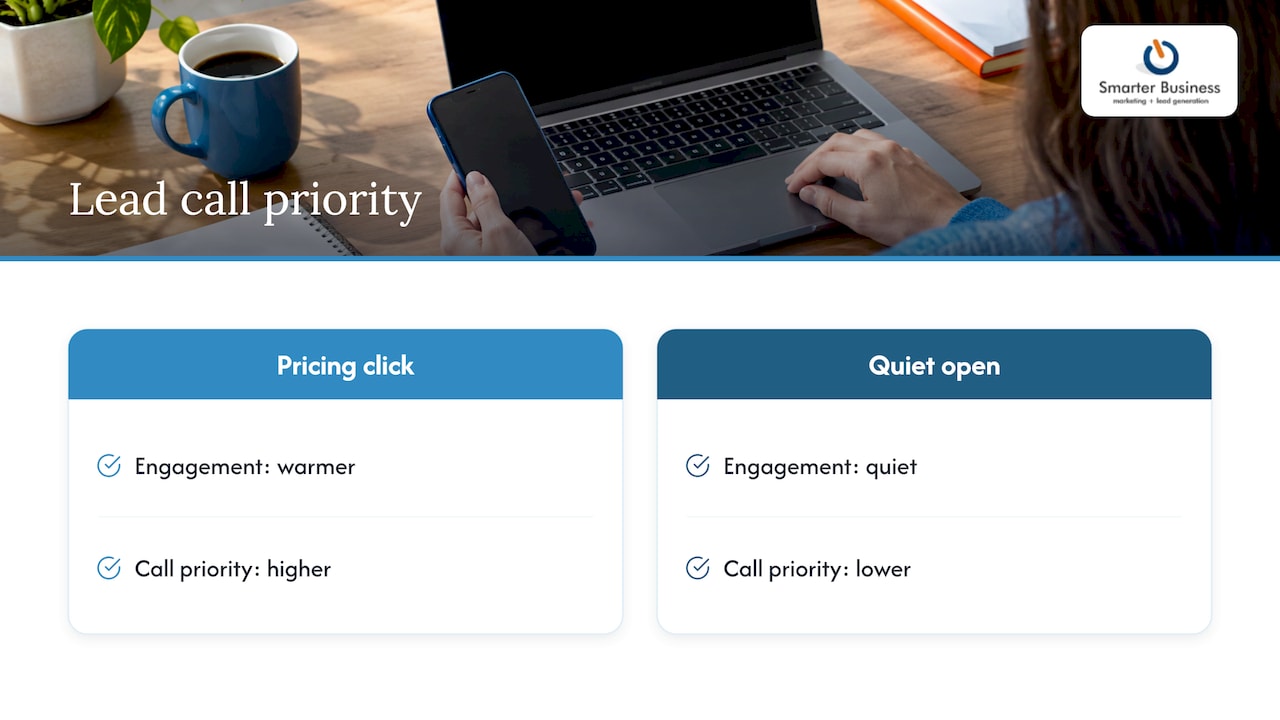
Automation is not only about sending more email. It is about telling your sales team who is warm. Act! says Marketing Automation scores engagement and creates and assigns activities automatically, so a click on your pricing link outranks a quiet open. If you want to pair that with a sound view of which leads deserve attention, these lead qualification frameworks show how teams tie CRM fields and KPIs to qualification.
The case for patience is also on Act!’s side: its ebook cites Gleanster Research saying 50% of leads are qualified but not ready to buy on day one, and 80% of those will buy from someone within 24 months. A nurture workflow keeps you in the running.
Which Act! plan do you need?
Different plans bring different automation muscle. These are the Act! Advantage prices as we publish them for Ireland, per user per month:
| Plan | Price | What it adds for workflows |
|---|---|---|
| Act! Advantage Standard | €30 | Basic email marketing, 2,500 sends a month |
| Act! Advantage Professional | €45 | Email Marketing Plus, 25,000 sends a month, turnkey campaigns, nurture marketing |
| Act! Advantage Ultimate | €60 | Marketing Automation, 50,000 sends a month, lead scoring, prioritised activity scheduling, progressive profiling |
The send limits and feature lists come from Act!’s euro pricing page. Act! also lists workflow automation, online scheduling, surveys, web chat and interactive quotes in its feature checklist. Forms, surveys and website chat for marketing teams are part of the Act! Advantage toolset, described on the Act! products page.
Our Act! pricing page has the current Irish figures, and our email marketing and marketing automation page shows how the pieces fit together.
Before you press go
A workflow that misfires is like a greased pig at a village fair: fast, loud and impossible to catch. A short checklist keeps it penned:
- Pilot small. Run it on a handful of contacts or one team first.
- Check the data. Missing email addresses, duplicates and inconsistent stage names break automation fast.
- Read the results. Act! reports opens, clicks and comparative stats per campaign, pushes results to the contact record and supports A/B tests on subject lines.
- Mind consent. Act! Marketing Automation includes GDPR compliance tools and opt-out management. Make sure your own lists have a lawful basis for contact.
- Review quarterly. Processes change; templates should too.
Our view: start with the process, not the software
We have spent over a decade helping Irish SMEs with CRM, and the pattern is consistent: the businesses that get the most from automation are the ones that first wrote down how they actually sell. The template is the easy bit.
That is why we begin with your workflows, your terminology, your reports and who is allowed to see what, and then shape Act! around them. A template that speaks your language gets used. One that does not gathers dust.
Our advice is to automate one painful job first, such as lead assignment, prove it, and then add the next. Done this way, Act! becomes the quiet colleague who never forgets a follow-up.
Patrick Lennon
Want it built around your business?
We are a certified Act! CRM consultancy based in Ireland, and we customise workflows, forms, reports and dashboards to fit how your team works, with training and support to follow. Whether you need a single lead-routing workflow or a full rebuild, we can scope it with you.

See our CRM customisation, training and support services, or explore Act! plans and pricing to find the right fit.
FAQ
Does Act! come with ready-made workflow templates?
Yes. Act! Marketing Automation offers pre-built email template designs you can use as a starting point in the Drag and Drop editor, and older guides list 170+ samples. We can also adapt templates to your own stages and wording.
Can a workflow assign leads automatically?
Yes. Act! says new leads can become contacts with follow-up activities assigned automatically, and Marketing Automation can create and assign activities based on engagement. The exact rules depend on your plan and setup.
Can I connect forms and surveys to a workflow?
Yes. Act! landing pages support lead capture forms and surveys that feed responses into Act! and can trigger activities or notifications. You can see an example on our web form demo.
Which plan includes full marketing automation?
Act! Advantage Ultimate, at €60 per user per month, includes Marketing Automation with lead scoring and prioritised activity scheduling. Standard and Professional cover simpler email marketing and nurture features.
Sources
- 6 Benefits of CRM Templates for Your Company’s Workflows, Act!
- Your Definitive Guide to Marketing Automation, Act!
- Marketing Automation, Act!
- Interactive Quotes, Act!
- Act! Marketing Automation New User Guide
- How to create and edit templates in Act! Marketing Automation
- Act! Plans and Pricing in Euros
- Pricing Chart with Feature Checklist, Act!
- Act! Products
- Lead Qualification Frameworks for B2B